
Alphabetical vs. Numerical vs. Natural Sort
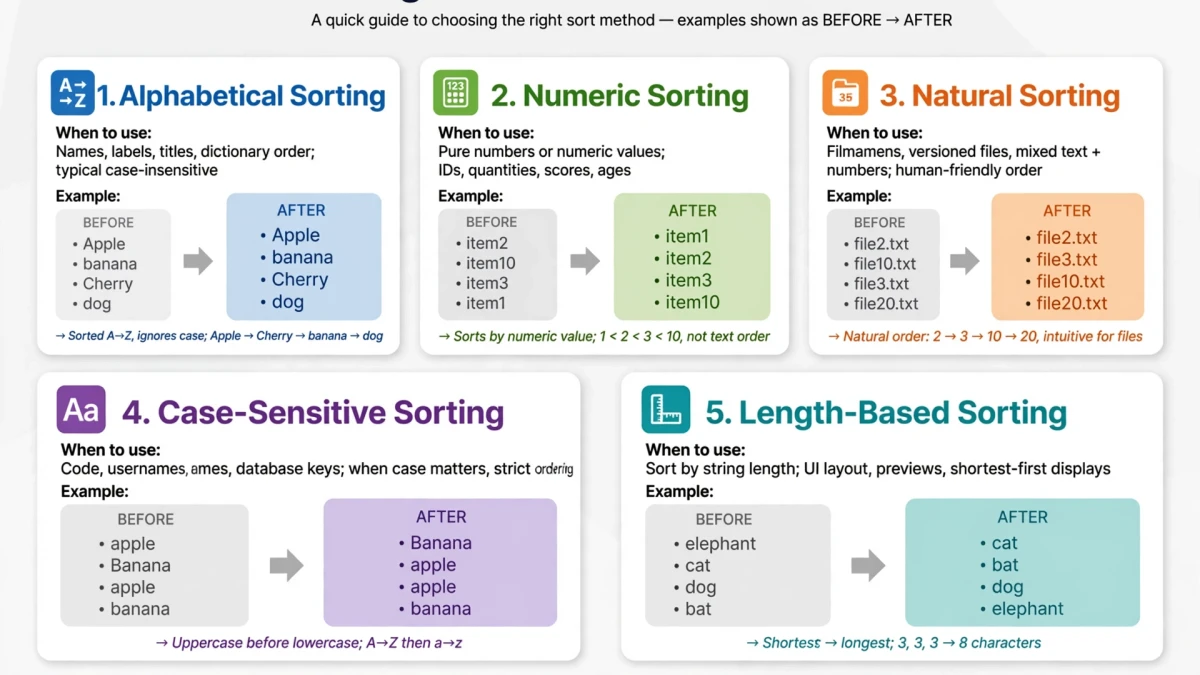

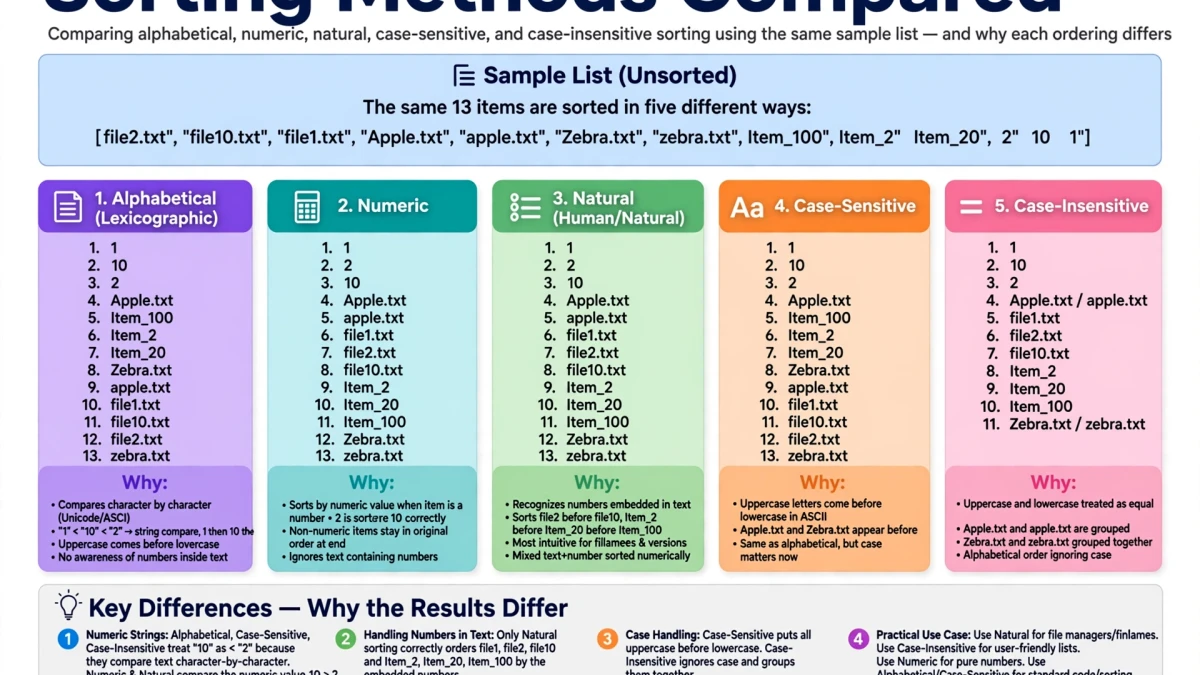
Different sort types produce very different results:
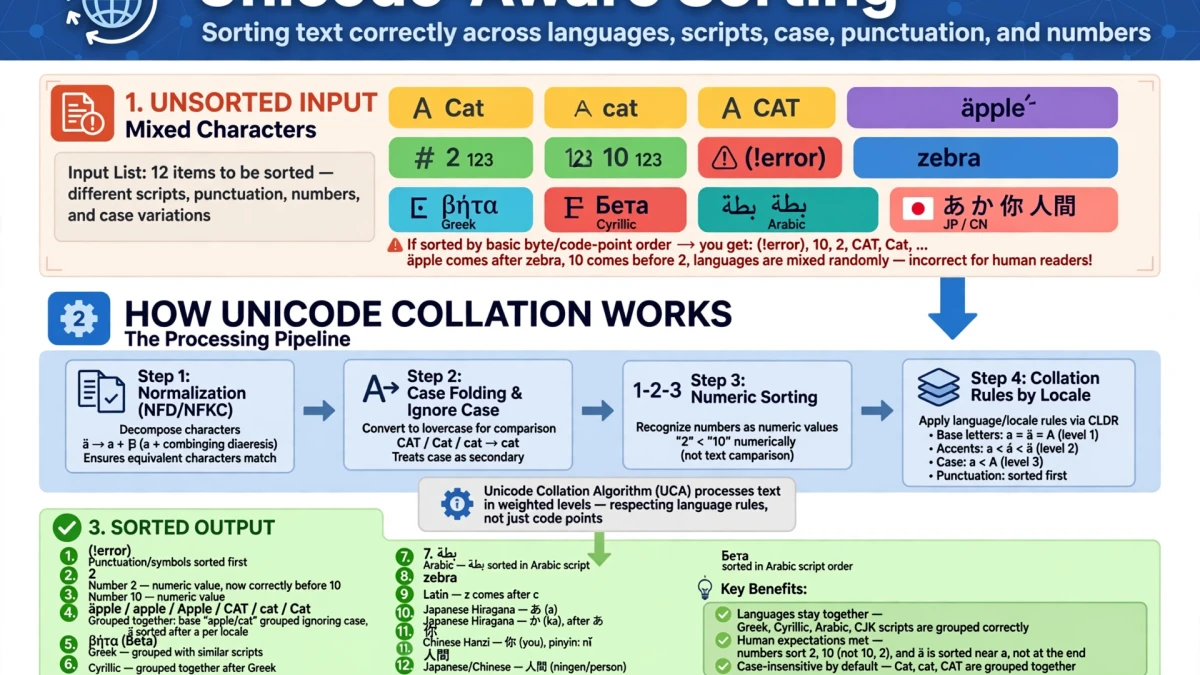
Alphabetical (lexicographic) sort: Compares characters one by one using Unicode code point order. Numbers are compared as strings. Input: apple, banana, cherry, Apple, 10 items, 2 items, 20 items Alphabetical output: 10 items, 2 items, 20 items, Apple, apple, banana, cherry
Problems: "10 items" comes before "2 items" because '1' < '2'. "Apple" comes before "apple" because uppercase A (65) < lowercase a (97).
Natural sort (recommended for most use cases): Handles embedded numbers correctly, treating them as numbers rather than character sequences. Natural output: 2 items, 10 items, 20 items, Apple, apple, banana, cherry
Sort by line length: Sorts shortest lines first (or longest first). Useful for analyzing text density or finding outlier entries.
Numeric sort: Treats each line as a number, discarding non-numeric content. Best for pure number lists.
Step-by-Step: Sorting Text on ToolDolfen
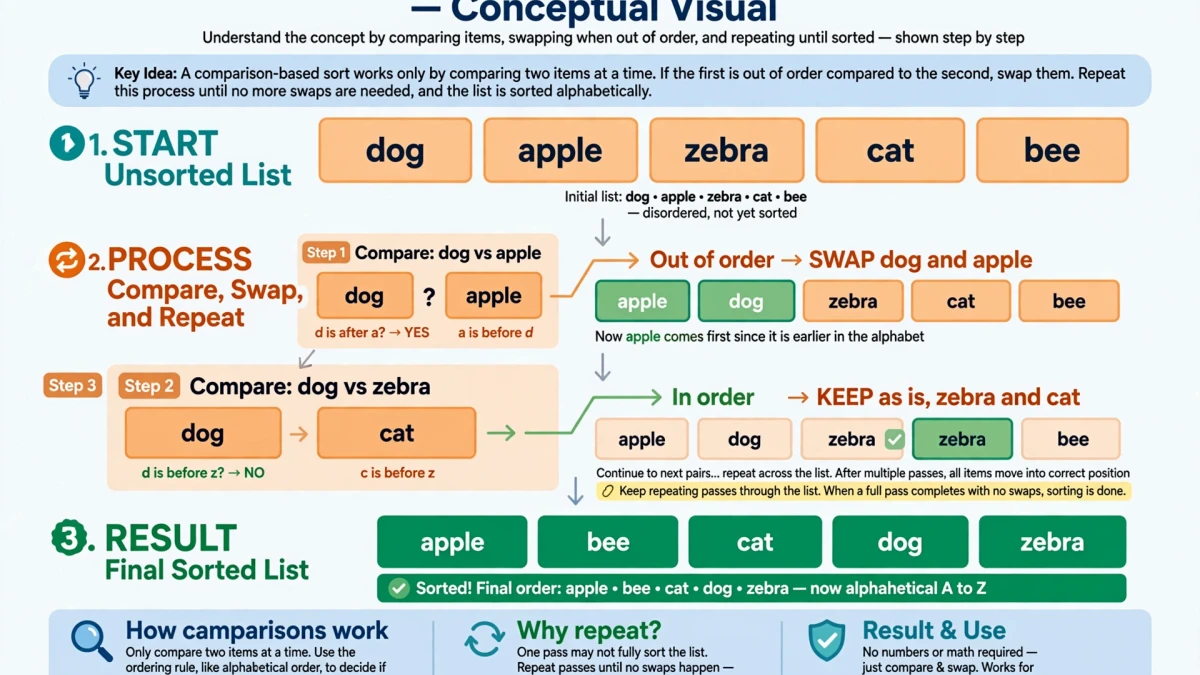
- Open the ToolDolfen Line Sorter.
- Paste your list — one item per line.
- Choose:
- Sort type: Alphabetical / Natural / Numeric / By length - Order: Ascending (A-Z, 0-9) or Descending (Z-A, 9-0) - Case sensitivity: Case-sensitive (Aa before Bb) or case-insensitive (A=a)
- Click Sort.
- Copy the sorted list.
Pair with Remove Duplicate Lines: For the cleanest data cleaning workflow, sort first, then deduplicate using Remove Duplicate Lines — duplicates are now adjacent and easier to identify.
Recommended Companion Guides
Explore complementary tutorials and utilities from this topic cluster to enhance your digital workflow: