
What is WebP and Why Did Google Create It?
WebP is an open image format developed by Google, first released in 2010 and derived from the VP8 video codec. Google's motivation was straightforward: the web was becoming increasingly image-heavy, and the dominant formats — JPEG (1992) and PNG (1996) — were designed for a very different internet era.
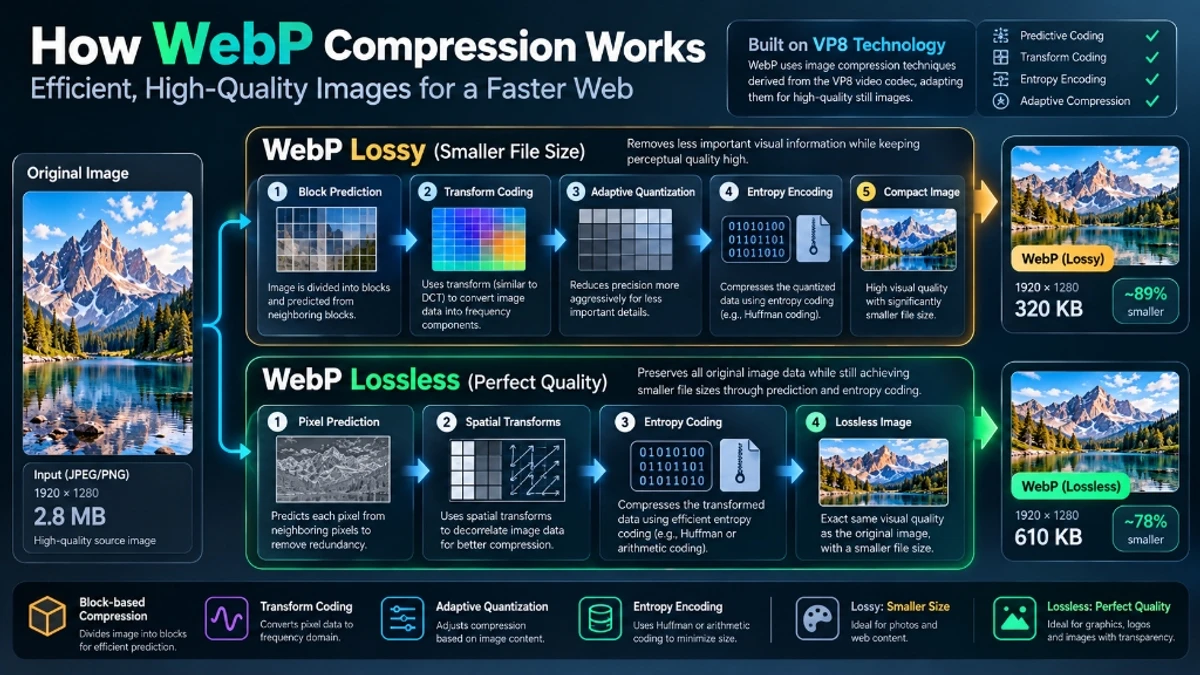
WebP achieves its compression efficiency through several innovations:
- Block prediction coding — uses surrounding pixel data to predict what each block should look like
- Transform coding — similar to JPEG's DCT but operating on larger blocks and with higher efficiency
- Arithmetic entropy encoding — more efficient than JPEG's Huffman coding
- Adaptive quantization — applies more compression to less important regions
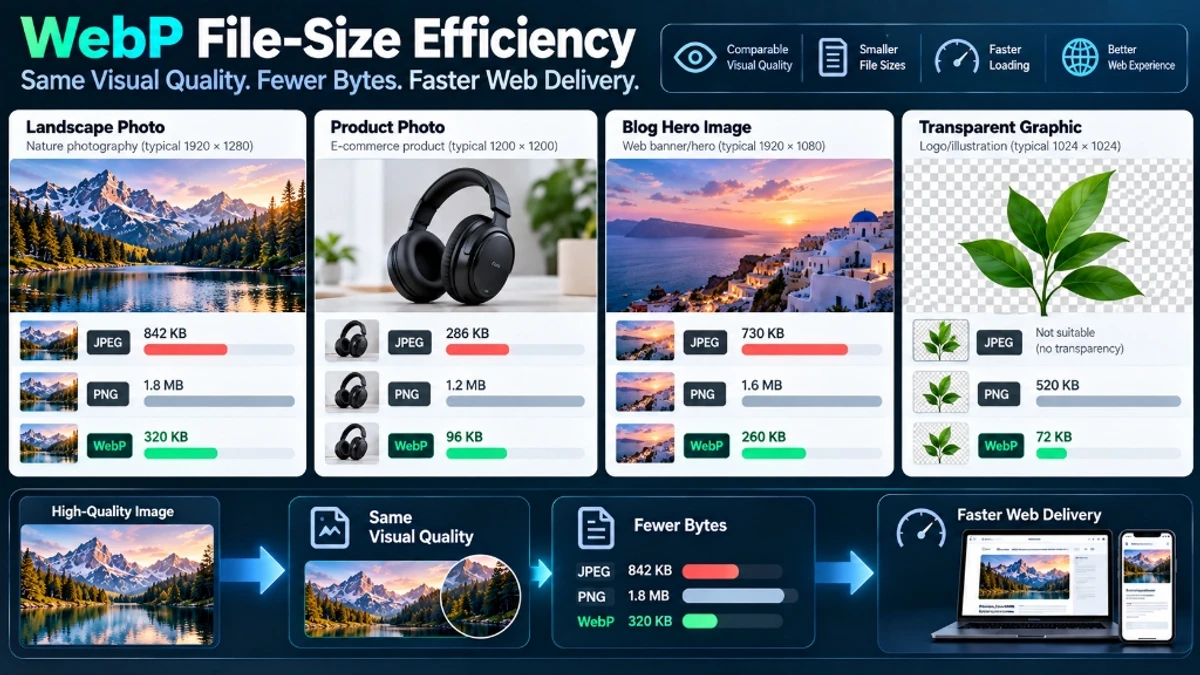
The result is a format that delivers the same visual quality as JPEG in a 25–35% smaller file.
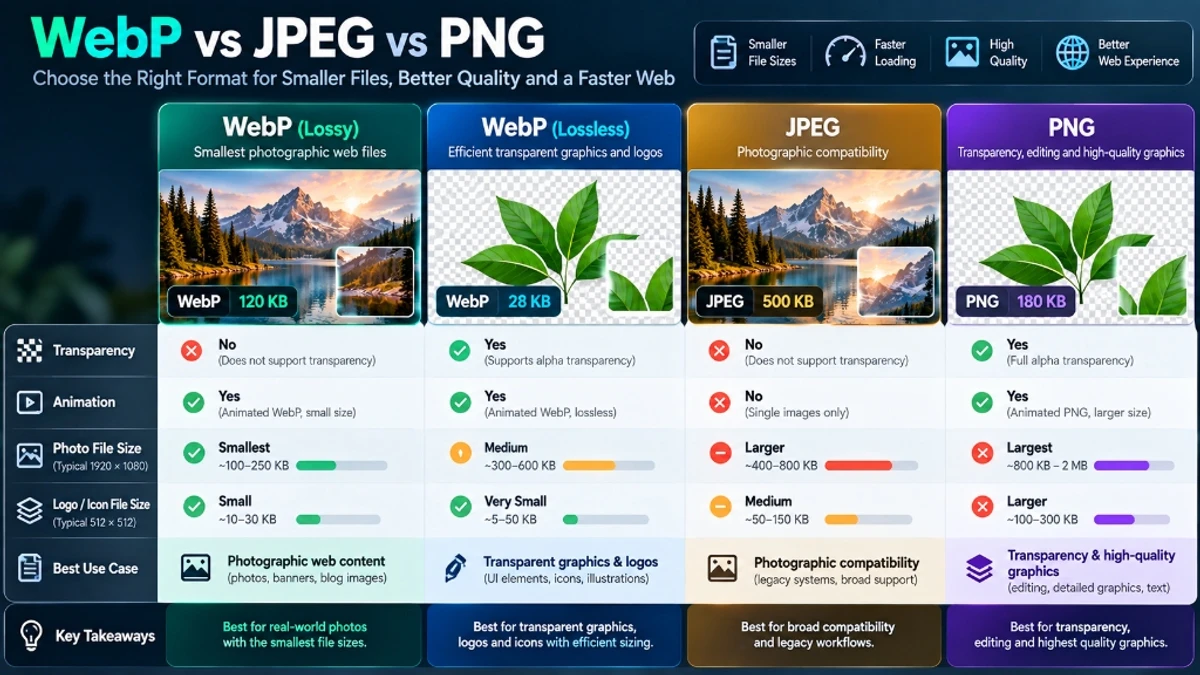
WebP vs JPEG vs PNG: Compression Comparison
| Property | WebP (lossy) | WebP (lossless) | JPEG | PNG |
|---|---|---|---|---|
| Transparency | ✅ Yes | ✅ Yes | ❌ No | ✅ Yes |
| Animation | ✅ Yes | ✅ Yes | ❌ No | ✅ Limited |
| File size (photos) | Smallest | Larger | Medium | Largest |
| File size (logos/icons) | Small | 26% smaller than PNG | Medium (no transparency) | Large |
| Best for | Web images | Web logos, icons | Email, print, legacy web | Print, editing masters |
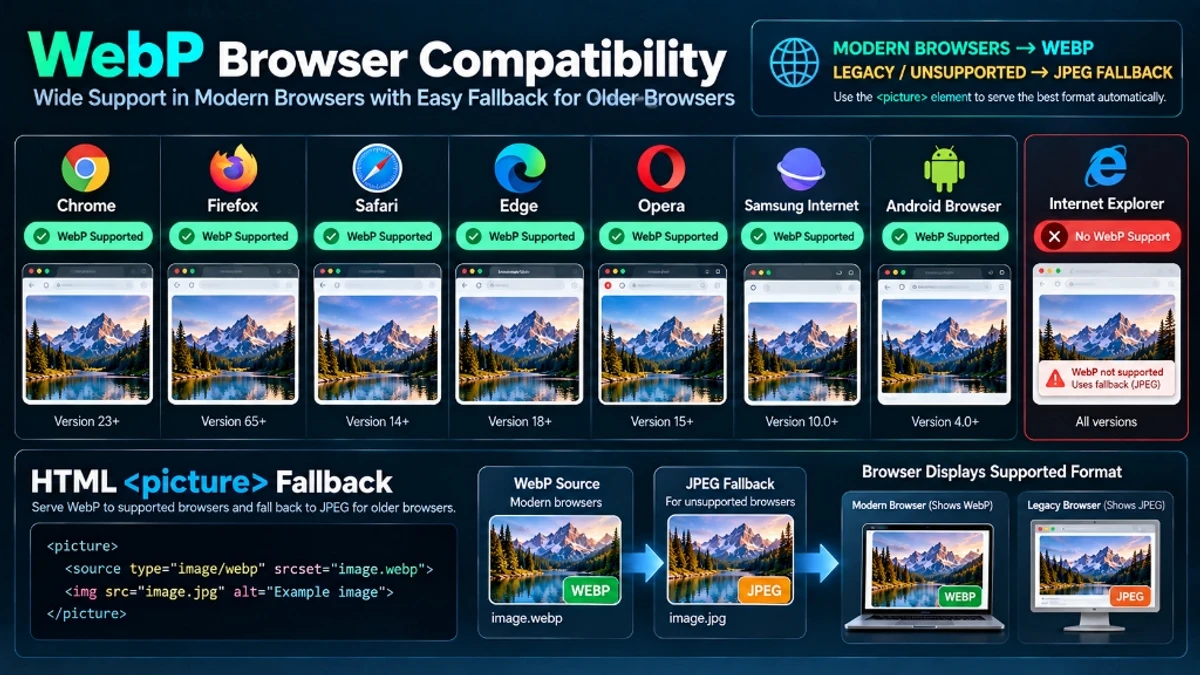
Browser and Platform Support for WebP
As of 2026, WebP is supported by 97%+ of global browser users:
- ✅ Chrome (since v17, 2012)
- ✅ Firefox (since v65, 2019)
- ✅ Safari (since v14, 2020)
- ✅ Edge (since v18, 2018)
- ✅ Opera, Samsung Internet, Android Browser
- ❌ Internet Explorer (no support — legacy only)
Not supported: Most desktop email clients (Outlook, Thunderbird, Apple Mail). For email, continue using JPEG and PNG.
When to Use WebP (and When Not To)
Use WebP for:
- Website images (product photos, blog hero images, background graphics)
- Mobile apps and progressive web apps
- Anywhere you control the serving environment and can verify browser support
Stick with JPEG or PNG for:
- Email newsletter images (email client compatibility)
- Images submitted to government portals and legacy systems
- Print-ready files (JPEG is standard for professional printing)
- Social media uploads (most platforms auto-convert anyway)
Implementing WebP on Your Website
Option 1: HTML Picture Element (Most Compatible)
<picture>
  <source srcset="image.webp" type="image/webp">
  <img src="image.jpg" alt="Description" width="1200" height="630">
</picture>
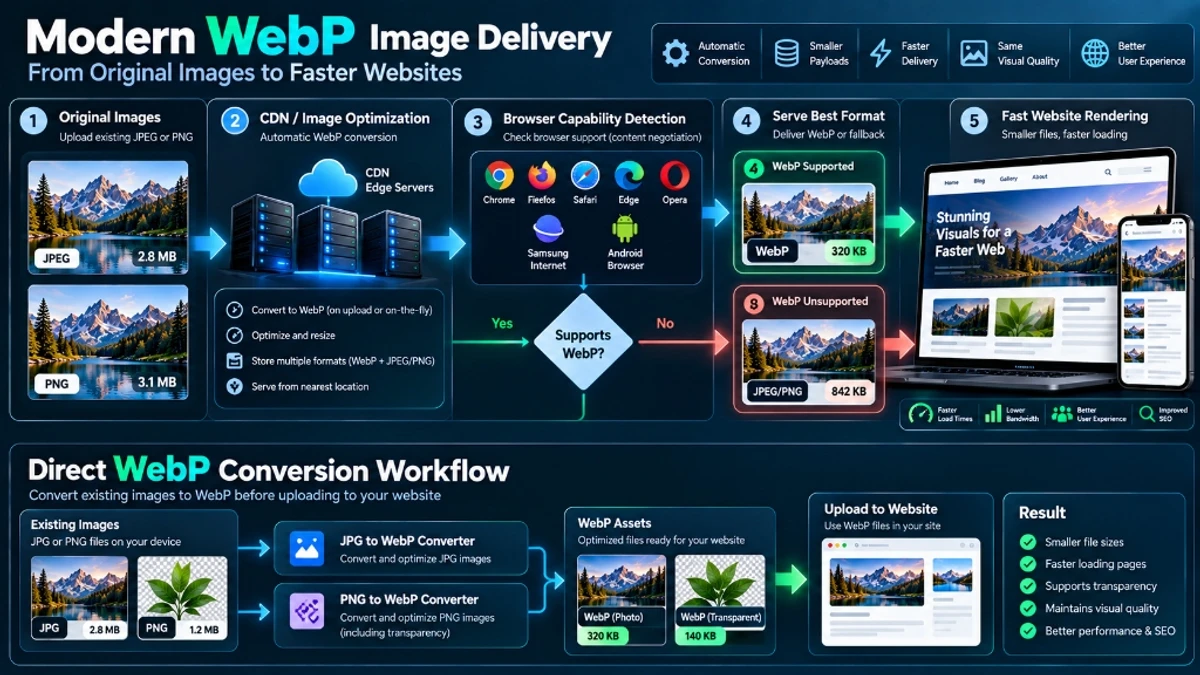
Modern browsers use the WebP source; browsers without WebP support fall back to the JPEG.
Option 2: CDN Automatic Conversion Cloudflare, imgix, Cloudinary, and most modern CDNs can automatically serve WebP to browsers that support it, converting from your JPEG/PNG originals on the fly — with zero code changes.
Converting your existing images: Use the JPG to WebP converter for photos or PNG to WebP for graphics and logos with transparency.
Recommended Companion Guides
Explore complementary tutorials and utilities from this topic cluster to enhance your digital workflow: