Como mesclar arquivos PDF com segurança sem uploads na nuvem

Mesclar PDFs no navegador usando pdf-lib significa que seus documentos confidenciais nunca saem do seu dispositivo – fundamental para contratos legais, registros médicos, demonstrações financeiras e documentos comerciais confidenciais.

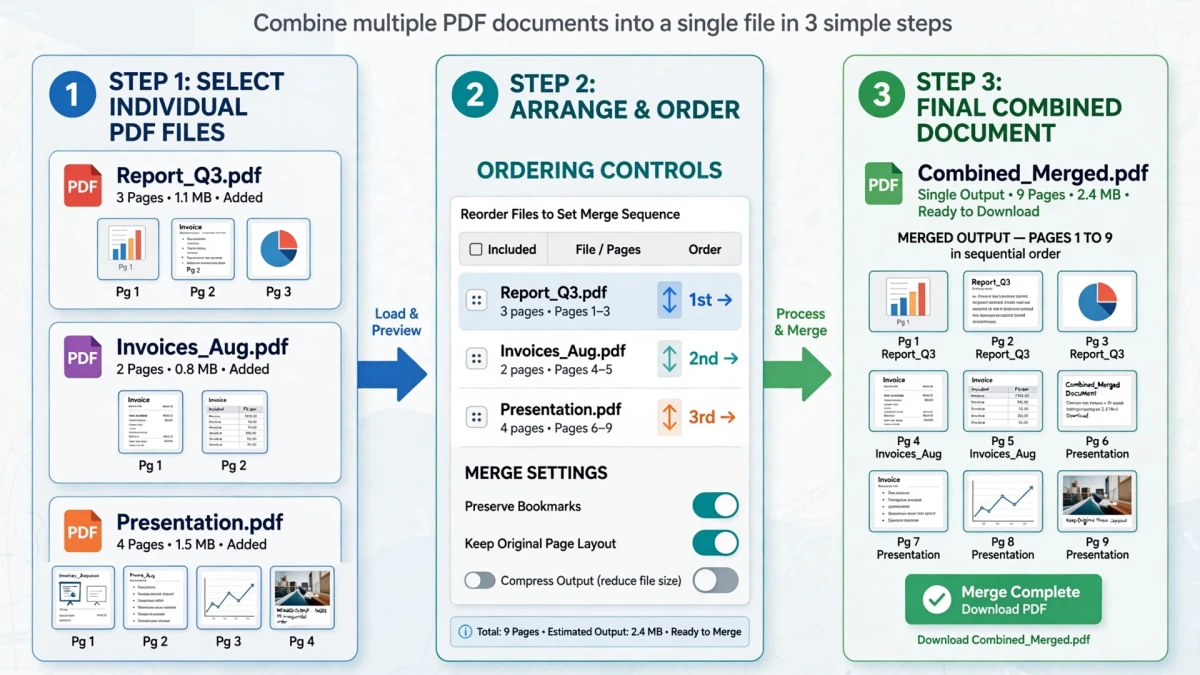
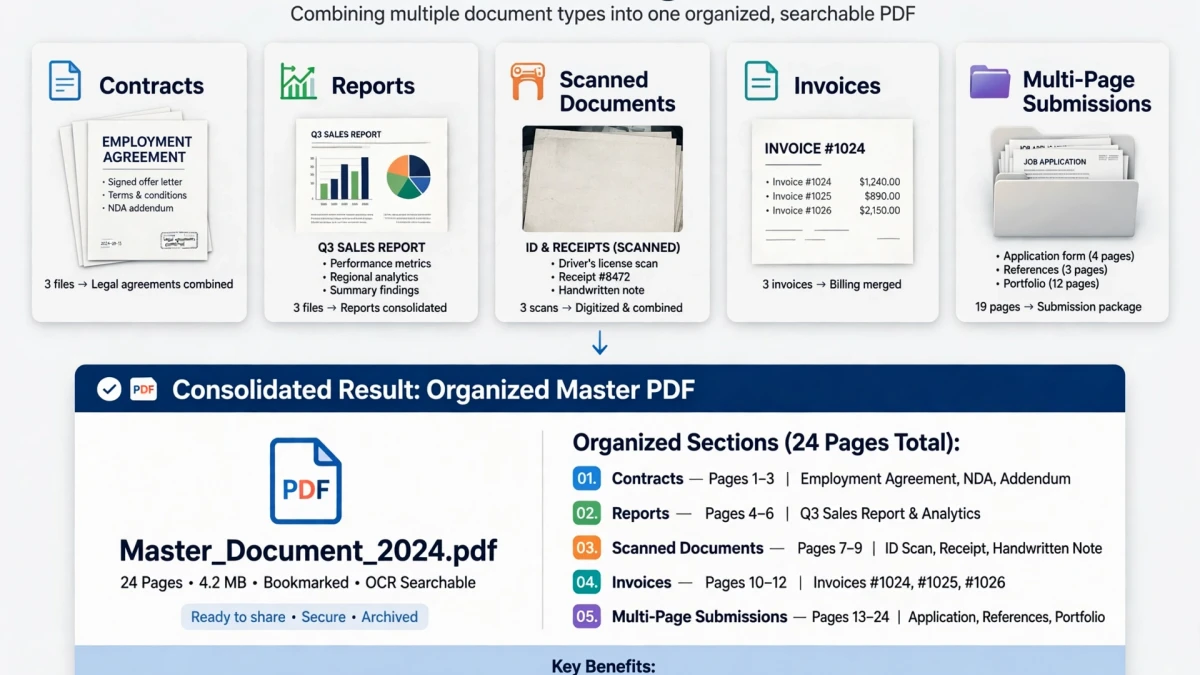
Multiple PDF documents being combined locally in browser without server upload

Why Privacy Matters When Merging PDFs

Most popular online PDF mergers — Smallpdf, ILovePDF, and similar services — require you to upload your documents to their cloud servers. For many files this is acceptable, but consider what you might be uploading:

  • Legal contracts with signatures and financial terms
  • Medical records with personal health information
  • Tax documents with Social Security Numbers and financial data
  • Business proposals with proprietary pricing
  • HR documents with employee personal information

These files should not leave your device and transit through third-party servers, even temporarily.

ToolDolfen's Merge PDF uses pdf-lib — a JavaScript library that runs entirely in your browser. Your PDF files are opened, processed, and recombined using your device's own CPU, with zero bytes transmitted to any server.
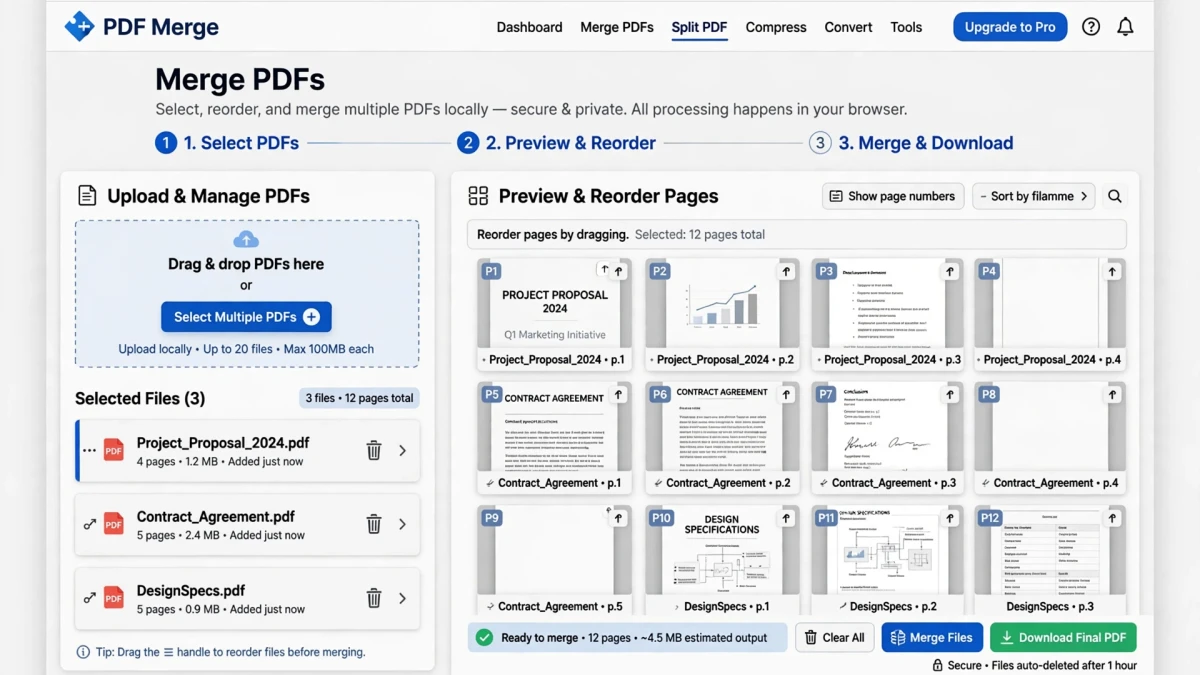
Architecture diagram contrasting in-browser local PDF merging against cloud upload vulnerabilities


Browser-Based vs Cloud-Based PDF Merging

FeatureToolDolfen (Browser-Based)Cloud Services
Privacy✅ Files never leave your device❌ Files uploaded to external servers
Speed✅ Instant local processing❌ Upload + process + download latency
File size limitLimited by device memoryUsually 50–200MB
Internet requiredOnly to load the toolYes, for entire process
Account required❌ NoneOften required
Cost✅ FreeOften freemium

Diagram comparing loose fragmented PDF files versus a single organized multi-page document


Step-by-Step: Merging PDFs on ToolDolfen

  1. Open the Juntar PDF (Merge PDF) tool.
  2. Click Add PDFs or drag and drop multiple PDF files into the upload area.
  3. The tool displays thumbnail previews of each PDF's first page.
  4. Drag the thumbnails to arrange your preferred order.
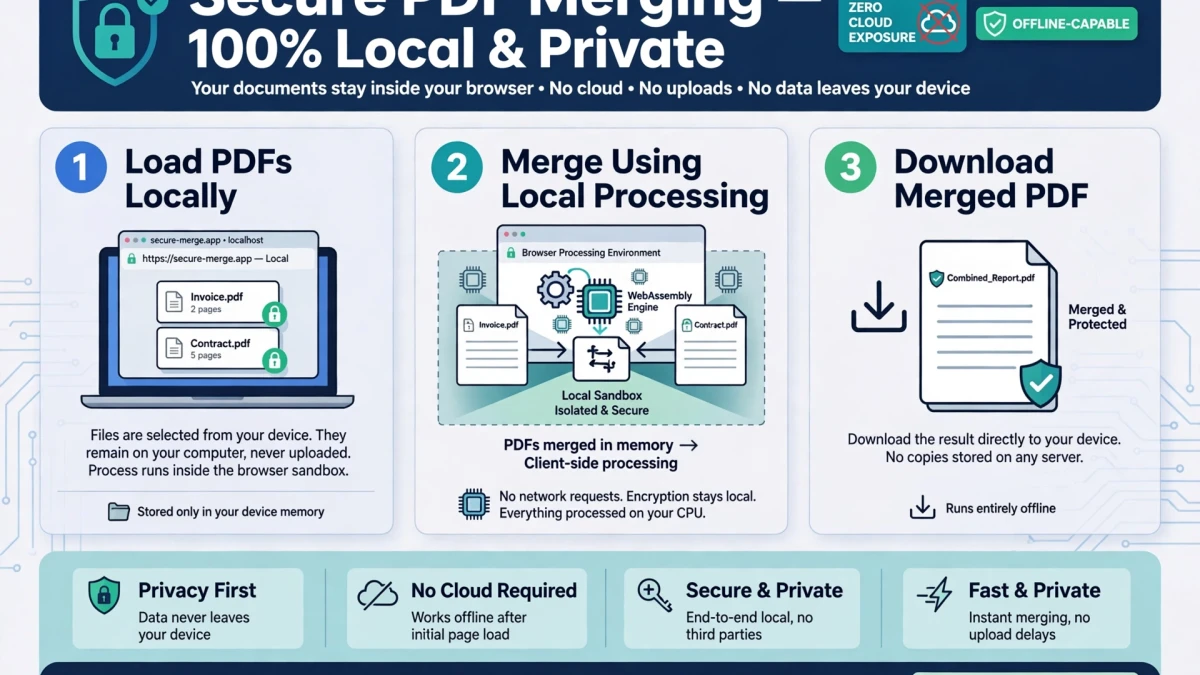
Interactive visual thumbnail grid showing drag-and-drop page sequence arrangement before merging

  1. Click Merge PDFs — the combination happens instantly in your browser.
  2. Download the merged PDF file.

Step-by-step user workflow for combining multiple PDF files in the browser


Page Ordering and Preserving PDF Quality

File ordering matters: The PDFs are merged in the sequence displayed. Arrange them in your desired document order before clicking Merge.

Quality preservation: ToolDolfen's merge preserves the original PDF page content (text, images, vectors) without recompression. Page quality is identical to the original individual files.

After merging: If the combined PDF is large for email attachment, use the Comprimir PDF tool to reduce file size while maintaining readability.
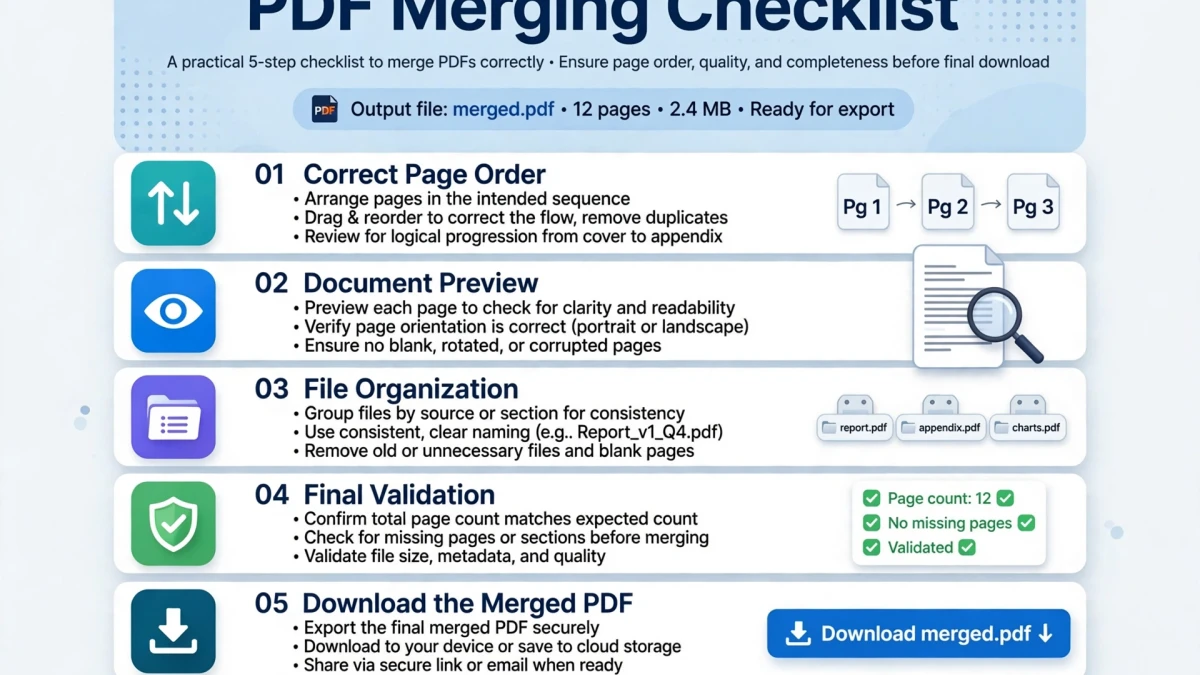
Security and document fidelity compliance checklist for client-side merged PDFs

Recommended Companion Guides

Explore complementary tutorials and utilities from this topic cluster to enhance your digital workflow:

How to Split PDF Files and Extract Specific Page RangesPractical step-by-step tutorial with verified standards and in-browser workflows.How to Compress Large PDF Files for Email AttachmentsPractical step-by-step tutorial with verified standards and in-browser workflows.PDF to PNG: Extract Crisp, Lossless Page Images from PDF DocumentsPractical step-by-step tutorial with verified standards and in-browser workflows.Base64 Encoding Explained: Converting Binary Data to TextComplementary cross-format workflow connecting related data and media tools.
Recommended Utility: Merge PDFExecute this workflow live in your browser with zero server uploads and 100% client-side privacy.
Juntar PDF (Merge PDF)

Perguntas Frequentes

Encontre respostas rápidas e verificadas para perguntas comuns sobre este fluxo de trabalho.

Posso mesclar PDFs protegidos por senha?

PDFs protegidos por senha exigem que a senha seja desbloqueada antes da mesclagem. Você precisará desbloquear o PDF primeiro usando uma ferramenta de desbloqueio de PDF e depois mesclar a versão desbloqueada.

Existe um limite de quantos PDFs posso mesclar?

A ferramenta Merge PDF baseada em navegador da ToolDolfen pode combinar vários PDFs. Os limites práticos dependem da memória disponível no navegador do seu dispositivo – normalmente de 10 a 20 PDFs grandes podem ser mesclados simultaneamente sem problemas.

O PDF mesclado preservará marcadores e links?

ToolDolfen's client-side merge using pdf-lib preserves text, images, and basic structure. Complex interactive elements (JavaScript, form fields, bookmarks) may vary in preservation — for those scenarios, a desktop PDF editor is recommended.

Bilal Ahmad