
Why PDF Files Get So Large
PDFs become unexpectedly large for several common reasons:
1. High-resolution embedded images When you create a PDF from a Word document containing photos, or when you "Print to PDF" from a website, embedded images are often stored at their original resolution (300+ DPI, multiple megabytes each). A 20-page PDF with 5 images per page can easily reach 100MB.
2. Unoptimized fonts PDFs embed font data to ensure consistent rendering. If the full font file (including all character glyphs) is embedded, this can add 500KB–2MB per font. Most documents use only 100–300 characters from a font, but embed the entire file.
3. Scanned document PDFs PDFs created by scanning physical documents are essentially collections of high-resolution page images. A 100-page scanned document at 300 DPI might reach 50–80MB.
4. Redundant metadata and version history Some PDF creation tools embed extensive metadata, document history, preview thumbnails, and authoring information.
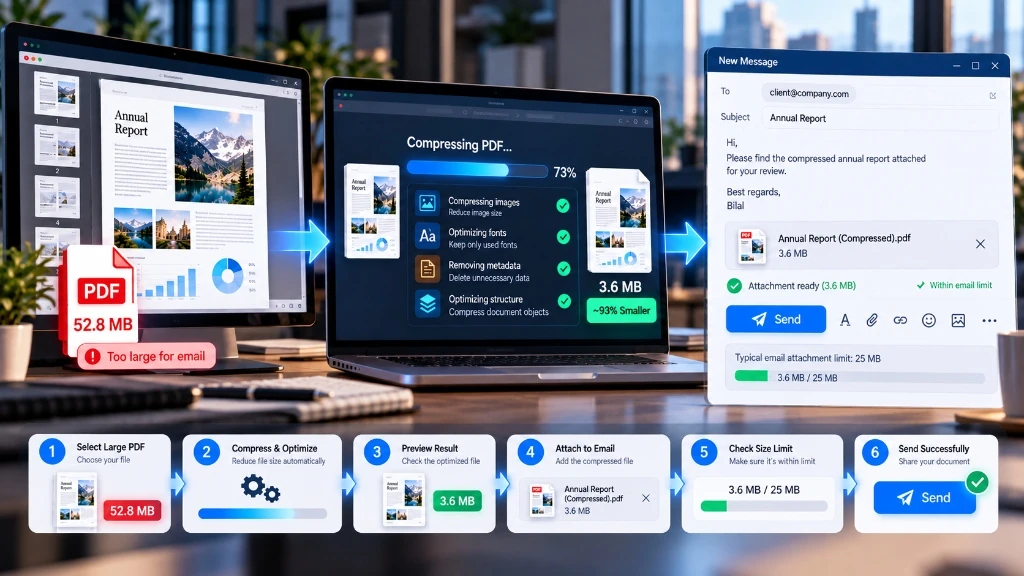
PDF Compression Techniques Explained
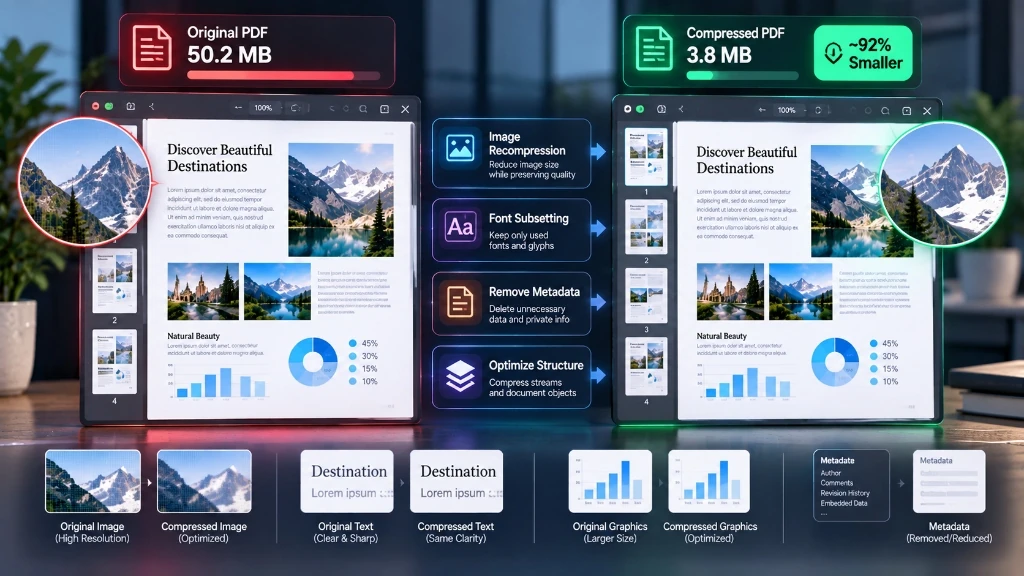
Image recompression: Reduces DPI of embedded images from 300 to 150 or 72 DPI for screen reading. Reapplies JPEG compression at a lower quality setting (e.g., quality 70) to significantly reduce image size.
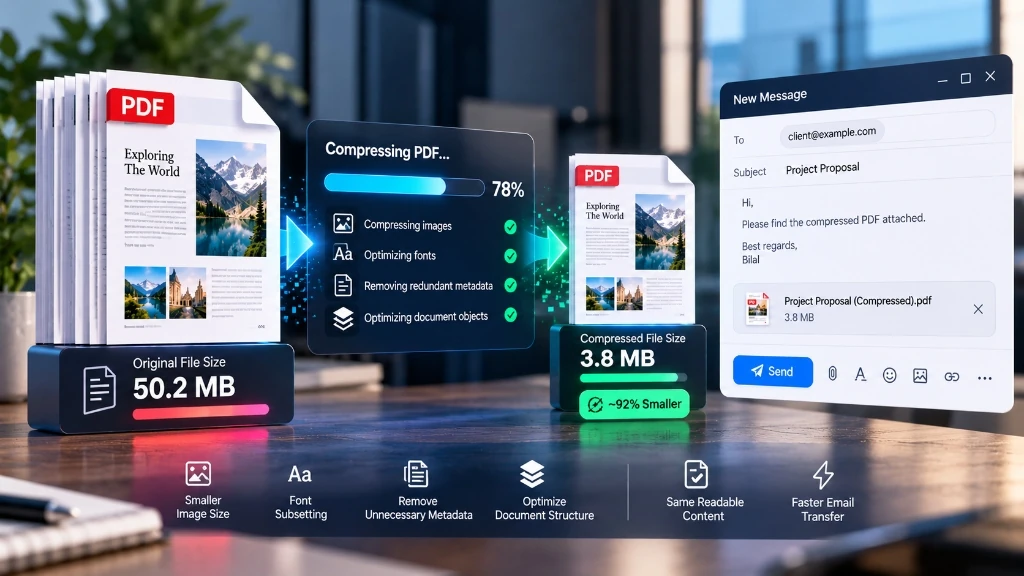
Font subsetting: Analyzes which characters are actually used in the document and removes unused glyphs. A font containing 3,000 characters but only using 200 can be reduced from 1.5MB to 150KB.
Metadata stripping: Removes optional metadata including author information, edit history, creation software details, and embedded preview thumbnails.
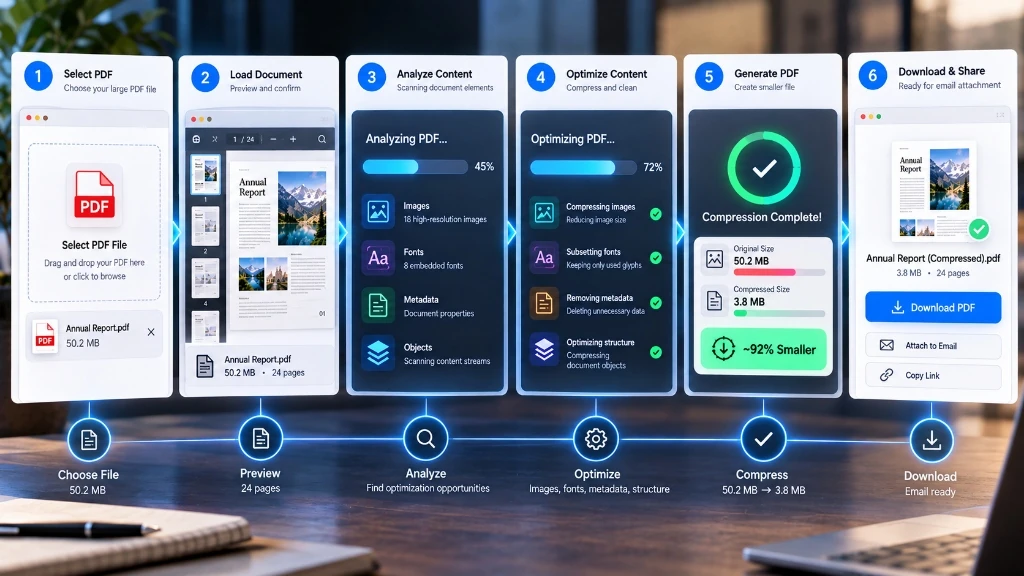
Step-by-Step: Compressing PDFs on ToolDolfen
- Open the ToolDolfen Compress PDF tool.
- Upload your PDF file. ToolDolfen compresses your document 100% in your browser using client-side JavaScript, meaning your file never leaves your computer.
- Select your compression level:
- Light: Minimal quality reduction, 10–30% size reduction — best for high-quality print PDFs - Medium: Good balance, 30–50% reduction — best for professional documents - Maximum: Aggressive compression, 50–80% reduction — best for email delivery where quality is secondary
- Download the compressed PDF.

Recommended Companion Guides
Explore complementary tutorials and utilities from this topic cluster to enhance your digital workflow: