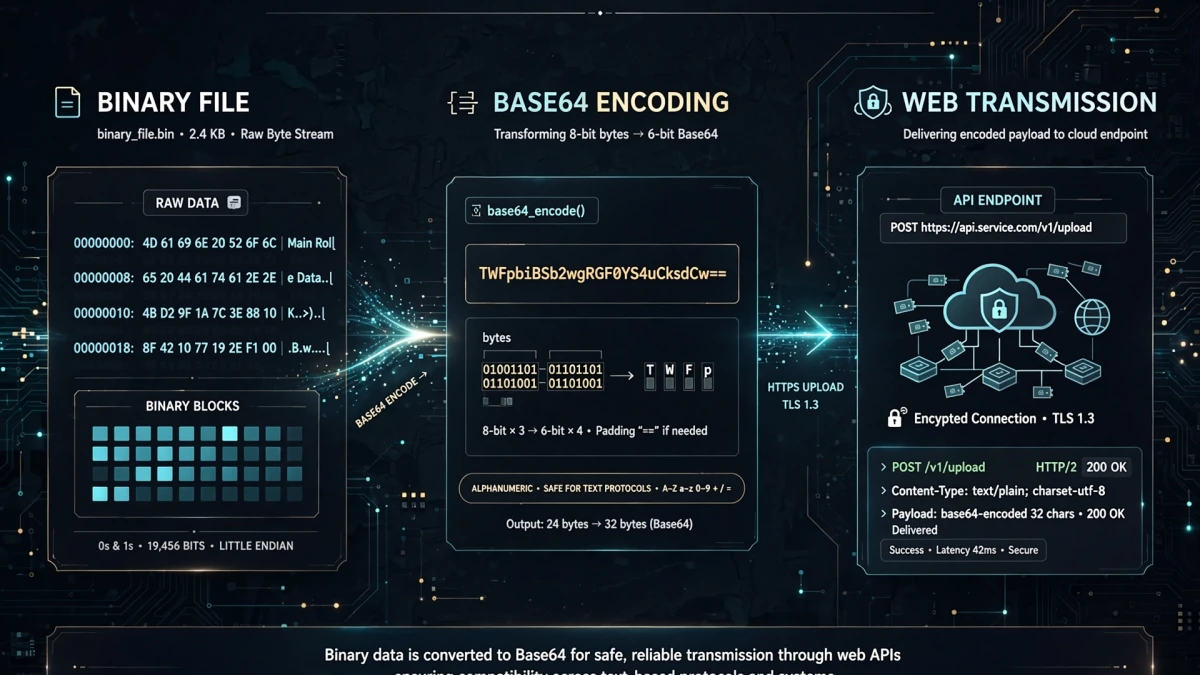
Why Base64 Was Invented
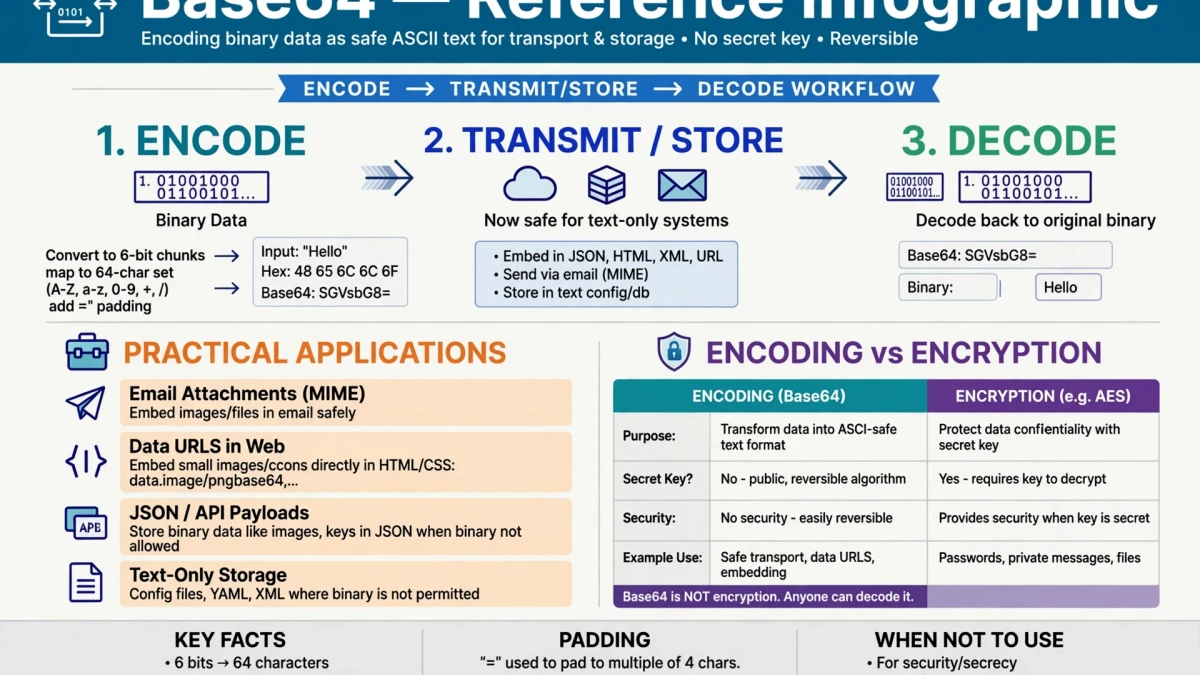
Many text-based protocols — including SMTP (email), HTTP headers, and HTML — were designed to handle only certain safe characters. Binary data (images, files, executable code) contains arbitrary byte values that conflict with protocol control characters.
The problem: An email containing a binary image file might have bytes that match protocol control characters (like ASCII code 13 = carriage return, code 10 = line feed). These bytes would be misinterpreted as email protocol commands, corrupting the attachment.
The solution: Base64 converts any binary data into a subset of 64 printable ASCII characters (A-Z, a-z, 0-9, +, /) that are safe in all text-based protocols. The original RFC for Base64 (RFC 2045) was written for MIME email attachments.
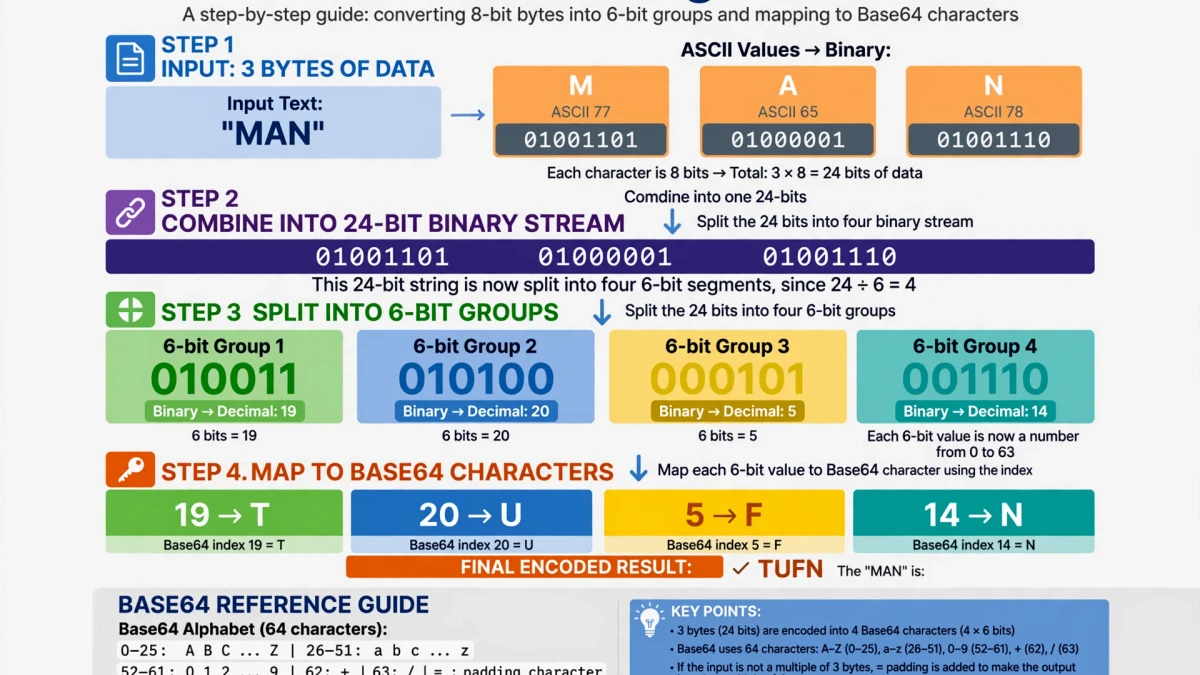
How Base64 Encoding Works: The Algorithm
Base64 converts binary data by processing 3 bytes (24 bits) at a time and producing 4 Base64 characters (24 bits → 4 × 6 bits):
- Take 3 bytes of binary data:
Man= ASCII 77, 97, 110 =01001101 01100001 01101110 - Split 24 bits into four 6-bit groups:
010011 010110 000101 101110 - Each 6-bit group maps to a Base64 character using the standard alphabet:
- 010011 = 19 = 'T' - 010110 = 22 = 'W' - 000101 = 5 = 'F' - 101110 = 46 = 'u'
- Result: "Man" → "TWFu"
The complete Base64 alphabet: ABCDEFGHIJKLMNOPQRSTUVWXYZabcdefghijklmnopqrstuvwxyz0123456789+/
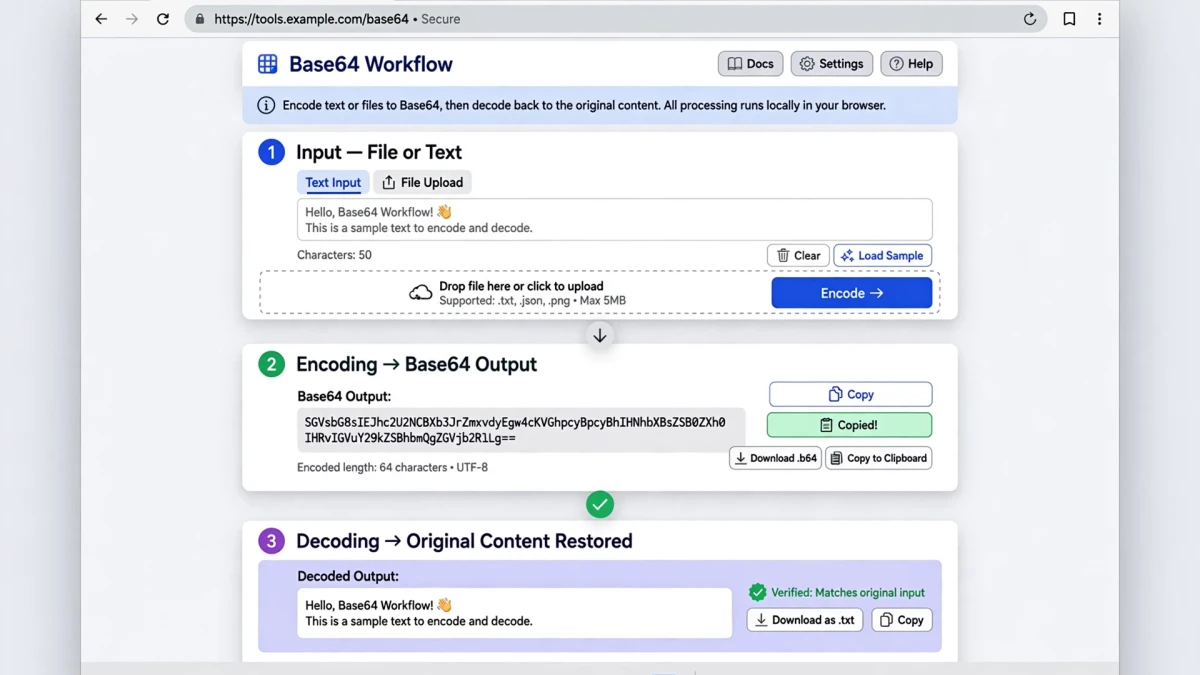
Common Base64 Use Cases
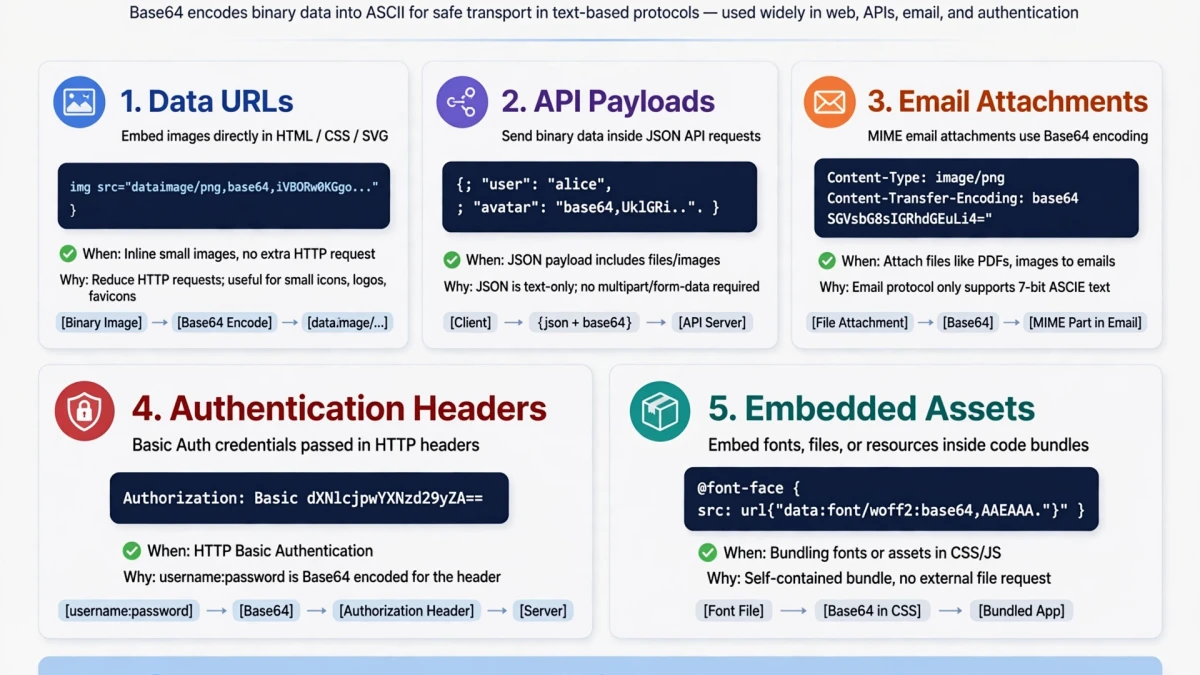
1. Email attachments (MIME) Email protocol is text-based. File attachments are Base64-encoded before inclusion in the email message.
2. Data URLs in HTML/CSS Small images and fonts can be embedded directly in HTML or CSS as Base64-encoded data URLs:
<img src="data:image/png;base64,iVBORw0KGgo..." alt="Embedded image">This eliminates the additional HTTP request for small icons.
3. API authentication HTTP Basic Authentication encodes credentials as Base64: username:password → dXNlcm5hbWU6cGFzc3dvcmQ= (Note: Base64 is not encryption — only use over HTTPS)
4. JSON payloads with binary data When an API needs to include binary data (e.g., a generated PDF or image) in a JSON response, Base64 encoding allows binary data to be safely embedded as a JSON string value.
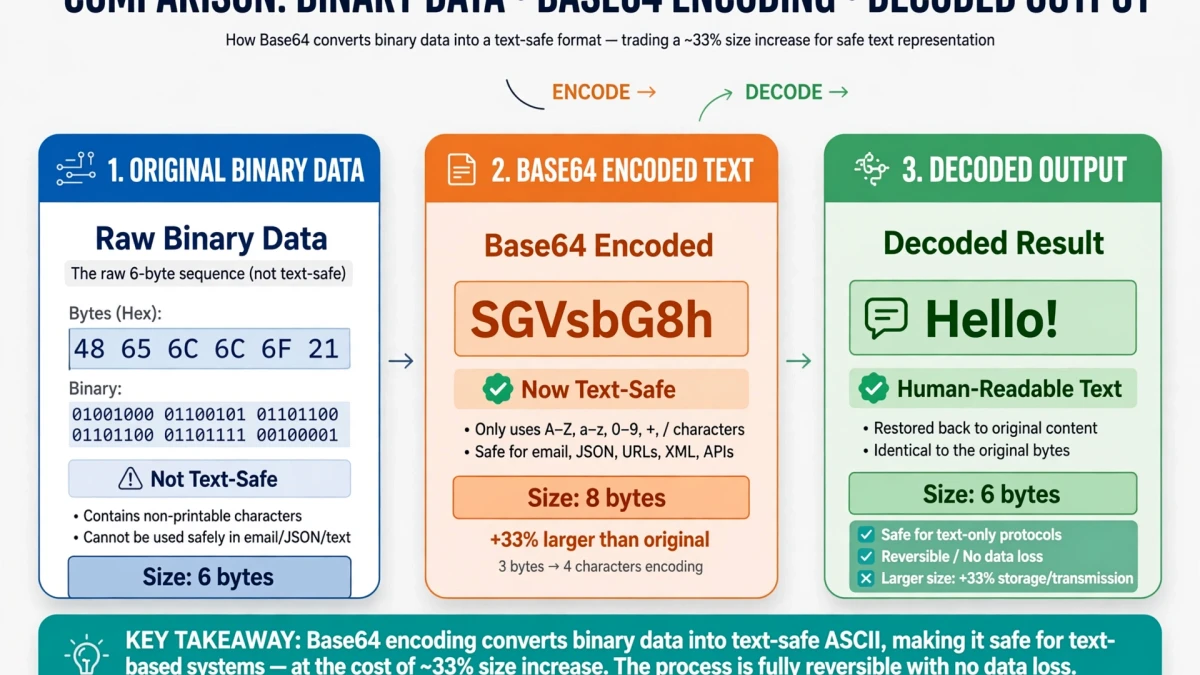
Encoding and Decoding Base64 on ToolDolfen
- Open the ToolDolfen Base64 Encoder/Decoder.
- To encode: Paste text or enter binary data in the input field. Click Encode. Copy the Base64 output.
- To decode: Paste a Base64 string in the input field. Click Decode. The original data is displayed.
The tool handles standard Base64 (with +/ characters) and URL-safe Base64 variants (with -_ instead of +/).
Recommended Companion Guides
Explore complementary tutorials and utilities from this topic cluster to enhance your digital workflow: