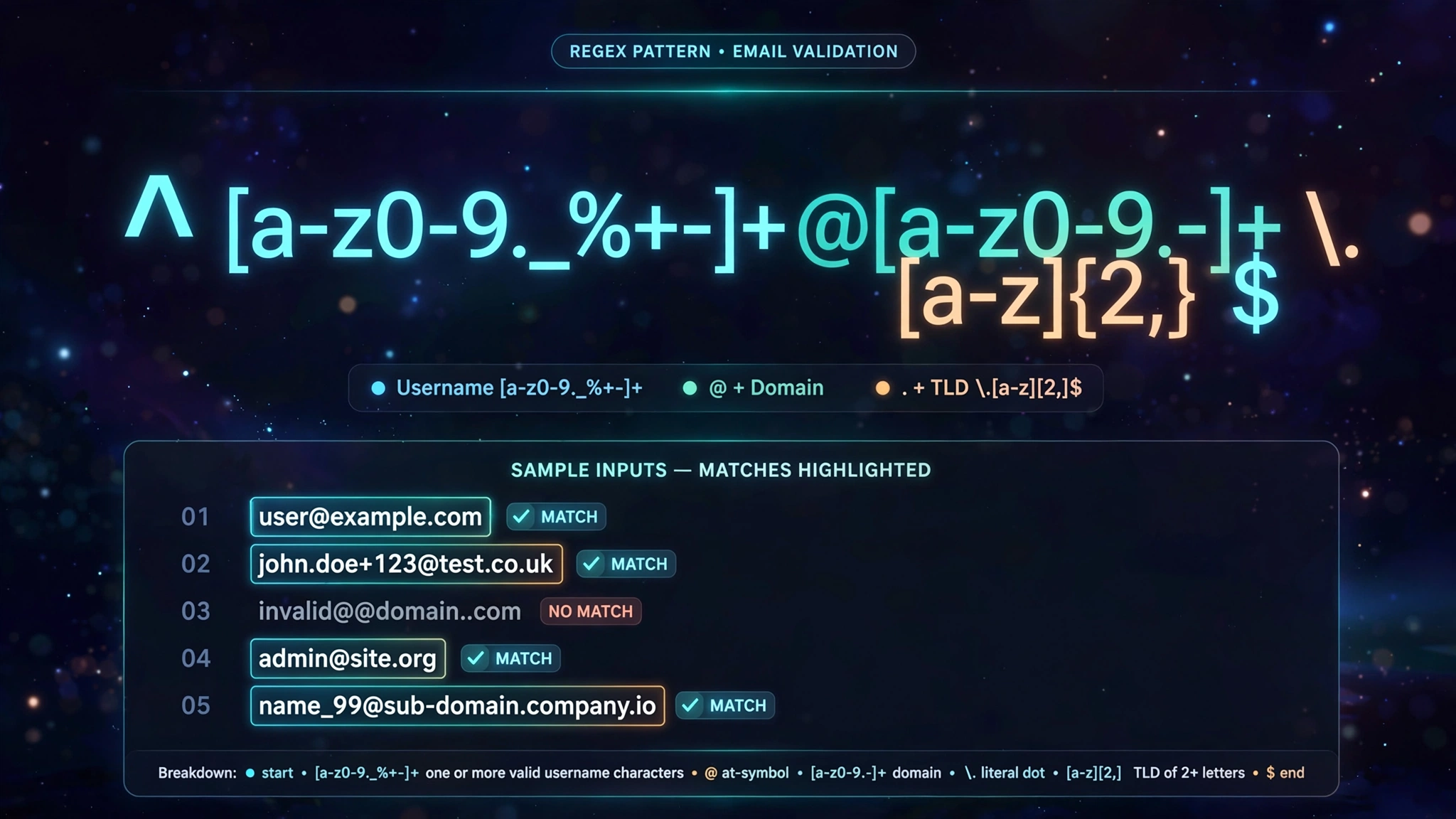
The Modern Regex Cheatsheet: Practical Patterns, Syntax & Validation Guide

Stop writing fragile regex from scratch. This practical guide provides tested regular expression patterns for everyday development tasks alongside visual breakdowns of lookaheads, capturing groups, and character classes.

Modern developer code editor displaying highlighted regular expression syntax tokens, capture groups, and lookaheads

Core Regex Syntax & Metacharacters Reference
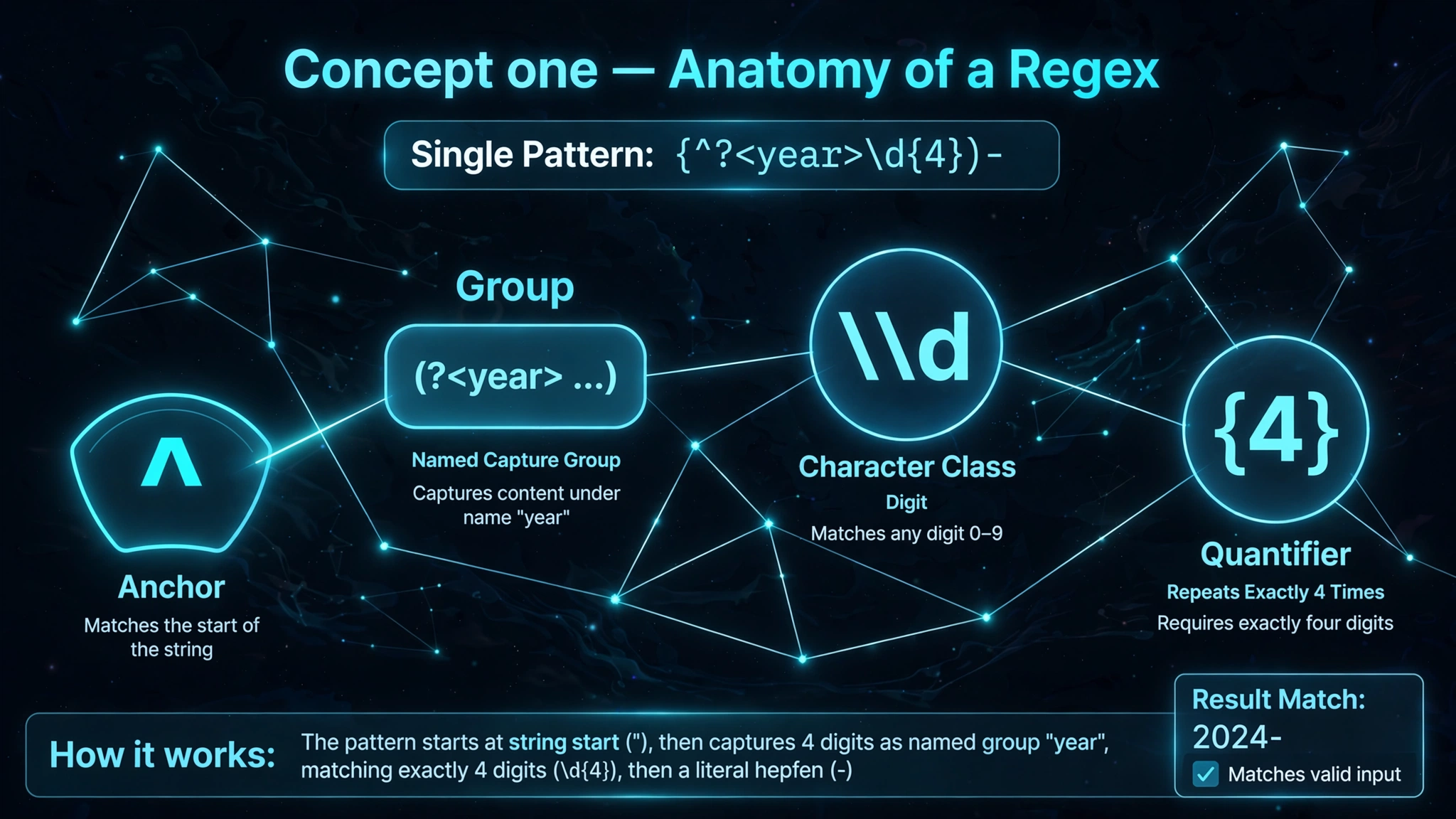
Comprehensive regular expression token reference chart breaking down anchors, character classes, and quantifiers

Regular expressions (regex) are formal pattern descriptions used by search engines, compilers, and web applications to validate, extract, and replace string data.

MetacharacterMeaningPractical ExampleMatches
^Start of string / line^httpsStrings beginning with "https"
$End of string / line\.png$Strings ending with ".png"
.Any single character (except newline)c.t"cat", "cot", "c9t"
\dAny digit (equivalent to [0-9])\d{4}"2026"
\wWord character (alphanumeric + _)\w+"user_123"
\sAny whitespace (space, tab, newline)\s+" "
+One or more occurrencesa+"a", "aaa"
*Zero or more occurrencesa*"", "a", "aaa"
?Zero or one occurrence (optional)https?"http", "https"
{n,m}Between n and m repetitions\d{2,4}"99", "1999"

Copy-Paste Tested Regex Patterns for Web Apps

1. Email Address Validation (RFC 5322 Simplified)

Email and password validation pattern breakdown showing lookahead assertions and character set boundaries

Validates standard modern emails with valid domain extensions:

^[a-zA-Z0-9.!#$%&'*+/=?^_`{|}~-]+@[a-zA-Z0-9-]+(?:\.[a-zA-Z0-9-]+)*$

2. Strong Password Validation

Requires 8+ characters, at least 1 uppercase letter, 1 lowercase letter, 1 number, and 1 special symbol:

^(?=.*[a-z])(?=.*[A-Z])(?=.*\d)(?=.*[@$!%*?&])[A-Za-z\d@$!%*?&]{8,}$

3. Hex Color Codes

Matches 3-digit, 6-digit, and 8-digit (with alpha channel) hex codes:

^#([0-9a-fA-F]{3}|[0-9a-fA-F]{6}|[0-9a-fA-F]{8})$

4. International Phone Numbers (E.164 Format)

International phone number and hex color code parsing diagrams showing optional country prefixes and digit groupings

Matches standard international phone numbers starting with a plus sign:

^\+[1-9]\d{1,14}$

ReDoS Security: Preventing Catastrophic Backtracking

Catastrophic backtracking execution graph showing exponential state evaluation loops in vulnerable regex patterns

Regular Expression Denial of Service (ReDoS) is a critical security vulnerability. When a regular expression uses nested ambiguous quantifiers like:

(a+)+$

Evaluating a non-matching input like "aaaaaaaaaaaaaaaaaaaaaaaaaaaa!" causes the NFA regex engine to test millions of permutations. In a production Node.js or Python backend, this blocks the event loop and locks the CPU at 100%.

Rules to prevent ReDoS:

  1. Never nest greedy quantifiers inside other quantifiers.
  2. Use possessive quantifiers or atomic groups if supported by your runtime.
  3. Test your patterns against negative strings using our Regex Tester.

Atomic grouping and possessive quantifier benchmarks demonstrating ReDoS-safe pattern performance optimization

Recommended Companion Guides

Explore complementary tutorials and utilities from this topic cluster to enhance your digital workflow:

Base64 vs Binary: File Size Overhead, Network Latency & Web PerformancePractical step-by-step tutorial with verified standards and in-browser workflows.The Complete Guide to QR Codes: Error Correction and Data CapacityPractical step-by-step tutorial with verified standards and in-browser workflows.Format, Validate, and Debug JSON Syntax in Your BrowserPractical step-by-step tutorial with verified standards and in-browser workflows.Image Resizing Masterclass: How to Scale Pixels Without DistortionComplementary cross-format workflow connecting related data and media tools.
Recommended Utility: Regex TesterExecute this workflow live in your browser with zero server uploads and 100% client-side privacy.
Test Regex Patterns →
Launch Tool →

Frequently Asked Questions

Find quick, verified answers to common questions regarding this workflow.

What is catastrophic backtracking in regular expressions (ReDoS)?

Catastrophic backtracking happens when overlapping nested quantifiers (e.g. (a+)+$) force the regex engine to evaluate exponential combination branches when evaluating an invalid string, causing CPU spikes and hanging servers.

Why should you test regular expressions client-side instead of on cloud servers?

Testing regex patterns with real production sample data (like user emails, addresses, or tokens) exposes confidential user data if sent to third-party web servers. ToolDolfen's regex tool operates 100% locally in your browser.

What is the difference between positive lookahead (?=...) and non-capturing groups (?:...)?

A positive lookahead asserts that what follows matches the pattern without consuming characters or including them in the match string. A non-capturing group groups sub-expressions for quantifiers without saving them to memory index numbers.

Bilal Ahmad