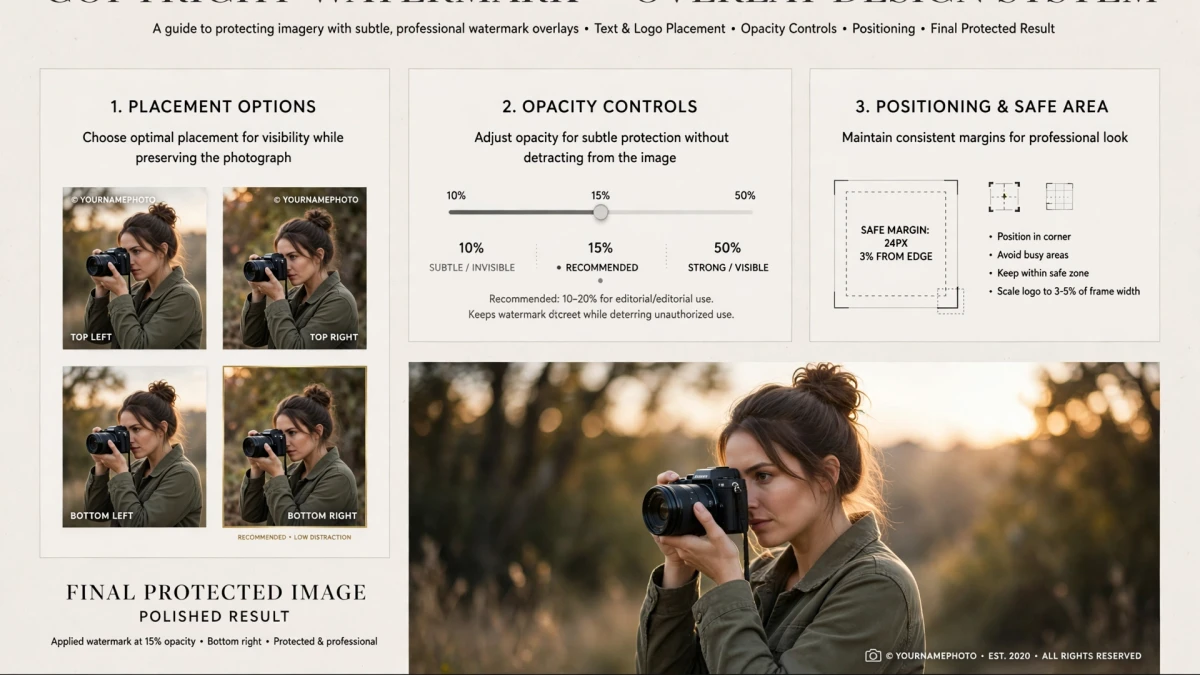
Why Watermarking Your Photos Protects Your Copyright
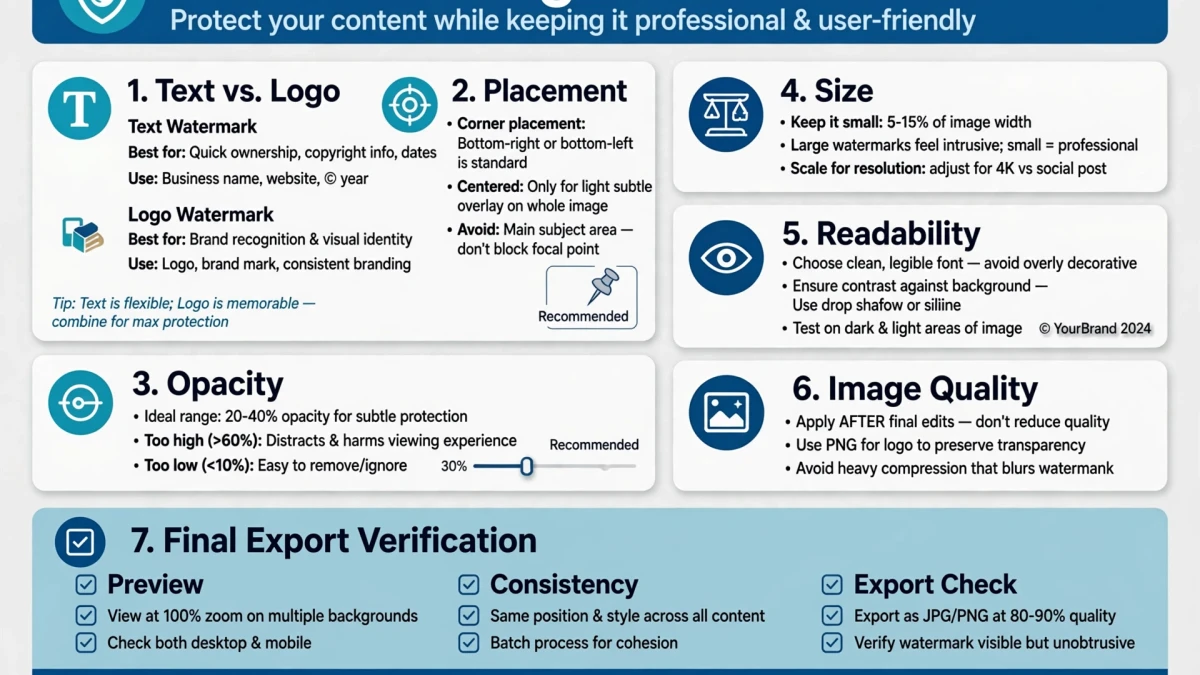
Copyright infringement of digital photos is widespread — images are downloaded, reposted, and used without permission millions of times daily. While legal copyright exists automatically the moment you take a photo, visible watermarks serve as:
- Deterrence: Many unauthorized users will skip watermarked images and find unwatermarked alternatives
- Attribution: If your image is shared without permission, the watermark keeps your name visible as the source
- Proof of ownership: A watermarked version predating a suspected infringement demonstrates original authorship
- Brand exposure: A logo watermark turns every share of your image into free marketing
Watermark Placement and Opacity Best Practices
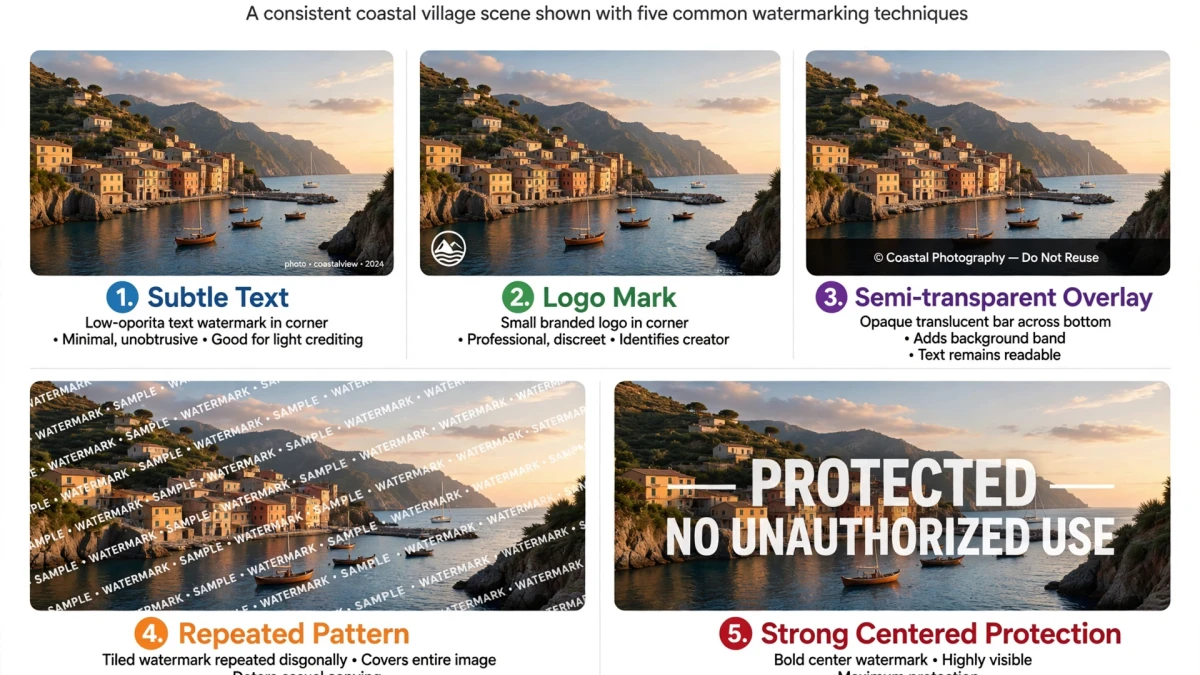
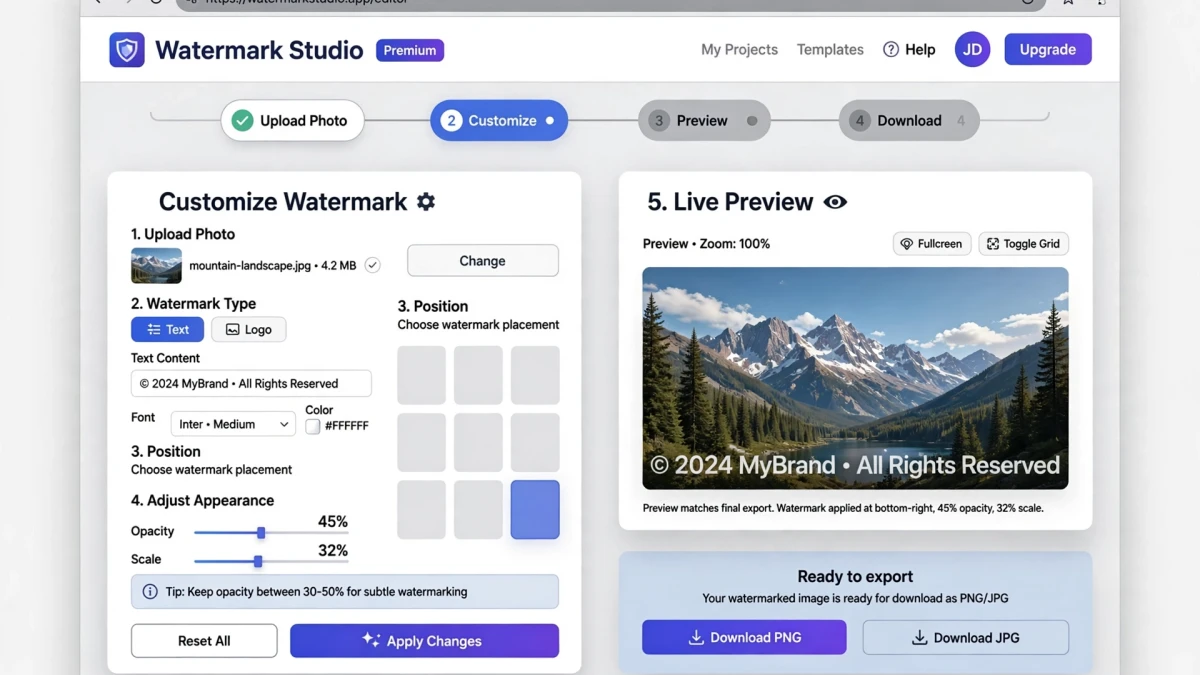
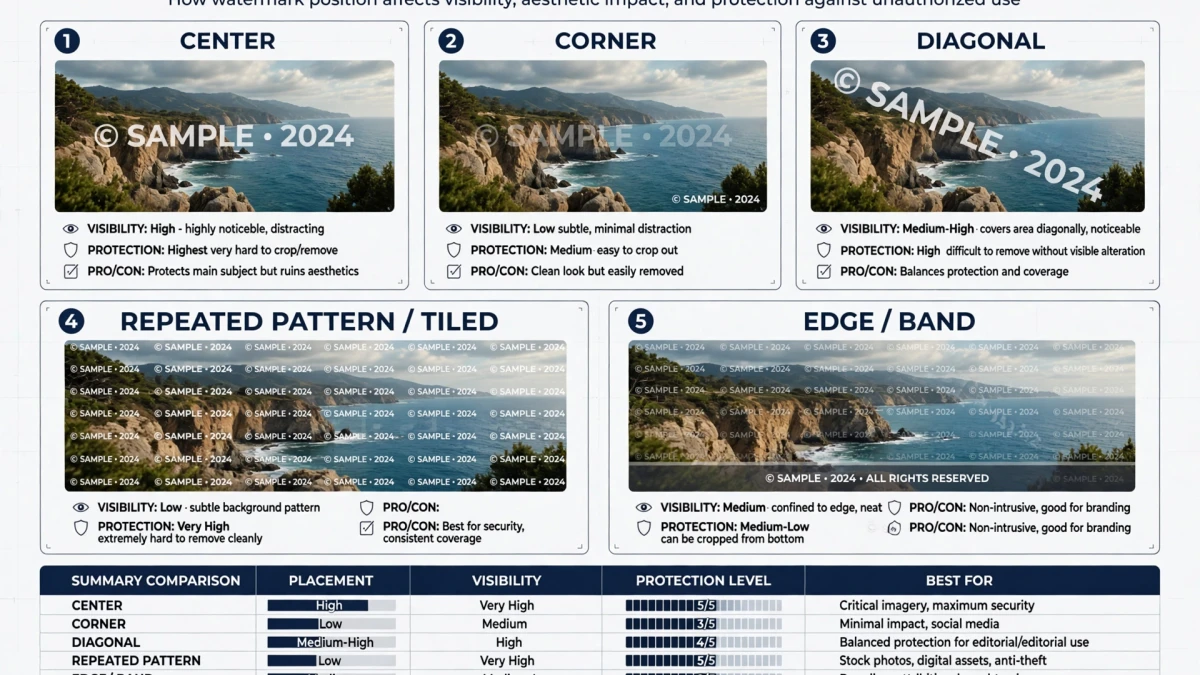
Corner watermarks (bottom-right is standard):
- Least disruptive to viewing experience
- Easiest to crop out — only suitable for previews you don't mind being cropped
- Standard for portfolio sites and social media
Center watermarks:
- Harder to remove without AI tools
- More visually disruptive
- Best for client proofs and invoice photos
Tiled/repeated watermarks:
- The most removal-resistant approach
- A repeating grid of semi-transparent text across the entire image
- Used by stock photo agencies for preview images
Opacity guidelines:
- Client proof images: 60–80% opacity (clearly visible)
- Social portfolio sharing: 25–40% opacity (watermark visible but not distracting)
- Public sharing with attribution intent: 15–25% opacity in corner
Step-by-Step: Adding Watermarks on ToolDolfen
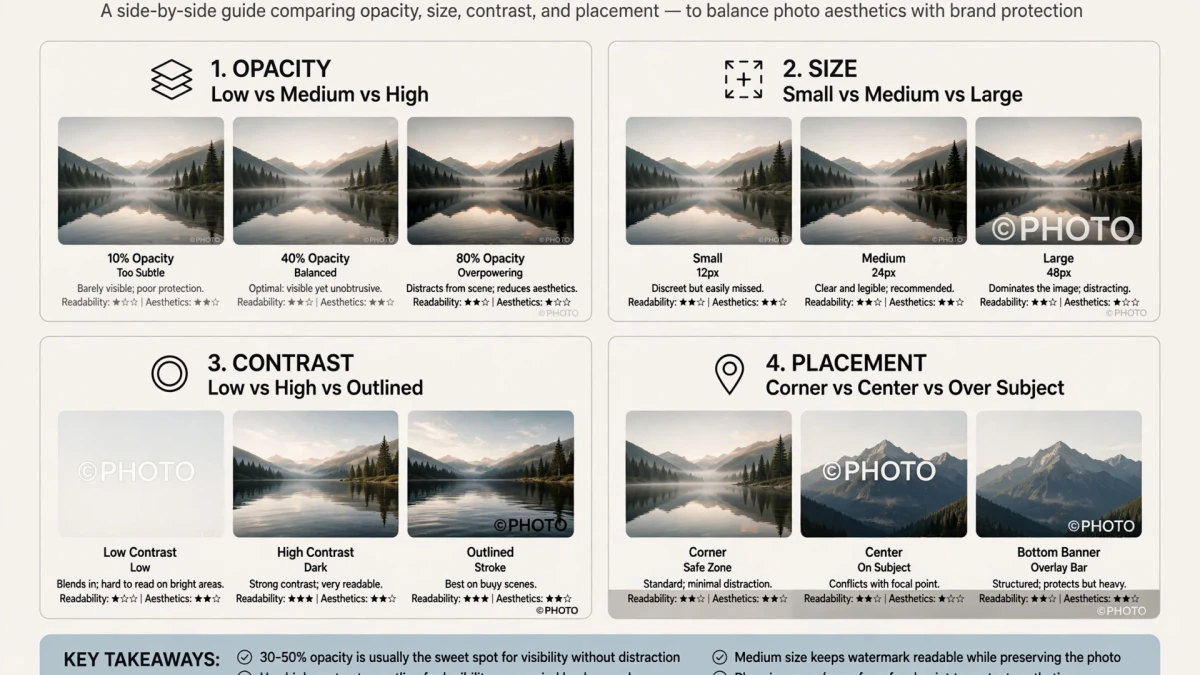
- Open the ToolDolfen Image Watermark tool.
- Upload your photo.
- Add your watermark:
- Text watermark: Type your copyright notice (e.g., "© 2026 Photography by ToolDolfen"), choose font, size, color - Logo watermark: Upload your transparent PNG logo
- Position: corner or center, drag to fine-tune position
- Set opacity (30–50% recommended)
- Click Apply Watermark and download.
Processing runs locally in your browser — your original photos never leave your device.
Recommended Companion Guides
Explore complementary tutorials and utilities from this topic cluster to enhance your digital workflow:
Remove Image Backgrounds Online Free: AI-Powered and Manual MethodsPractical step-by-step tutorial with verified standards and in-browser workflows.How to Crop Images for Perfect Social Media Banners & ProfilesPractical step-by-step tutorial with verified standards and in-browser workflows.Image Resizing Masterclass: How to Scale Pixels Without DistortionPractical step-by-step tutorial with verified standards and in-browser workflows.How to Compress Images to Exactly 100KB for Application PortalsComplementary cross-format workflow connecting related data and media tools.