
How QR Codes Work: Modules, Alignment, and Finder Patterns
QR (Quick Response) codes are two-dimensional barcodes developed by Denso Wave in 1994 for the automotive industry in Japan. Unlike traditional 1D barcodes, QR codes encode data in both horizontal and vertical dimensions, dramatically increasing data capacity.
Key structural elements:
- Finder patterns: The three distinctive square patterns in three corners of the QR code. Scanners use these to identify the code's orientation and boundaries regardless of rotation.
- Alignment patterns: Additional square patterns in larger QR codes that help scanners correct for distortion in curved or tilted surfaces.
- Data modules: The black and white squares that encode the actual data using Reed-Solomon error correction.
- Quiet zone: The white border around the QR code that prevents background interference.

Error Correction Levels: L, M, Q, and H
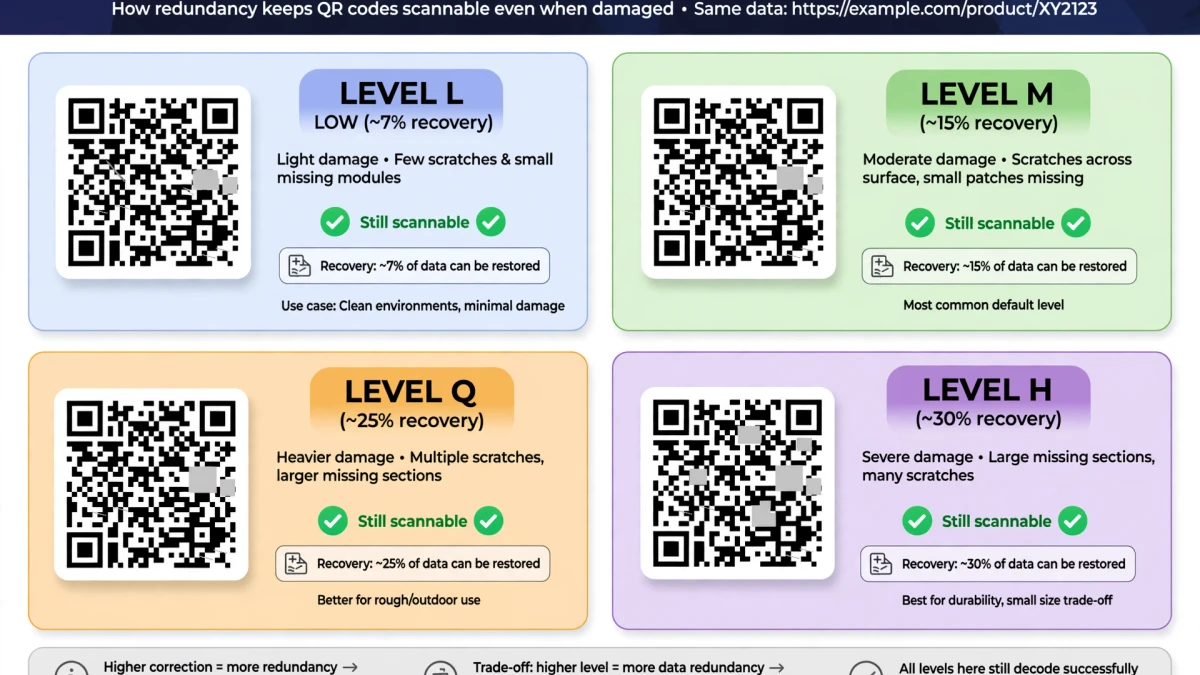
QR codes use Reed-Solomon error correction — the same algorithm used in CDs, DVDs, and QR codes — to allow partial damage recovery.
| Level | Designation | Damage Recovery | Best Use |
|---|---|---|---|
| L | Low | ~7% | Clean environments, small codes |
| M | Medium | ~15% | General purpose |
| Q | Quartile | ~25% | Industrial, slightly dirty environments |
| H | High | ~30% | Logos overlaid, printed on rough materials |
The logo trick: When you see a company logo embedded in the center of a QR code, the logo is placed over Level H error correction redundancy data. The scanner reconstructs the covered modules from the remaining code.
QR Code Data Capacity and Version Numbers
QR codes come in 40 versions, each with increasing data capacity (more modules in the grid):
| Version | Grid Size | Alphanumeric Capacity |
|---|---|---|
| 1 | 21×21 | 25 characters |
| 5 | 37×37 | 154 characters |
| 10 | 57×57 | 395 characters |
| 20 | 97×97 | 947 characters |
| 40 | 177×177 | 4,296 characters |
For URLs: A typical URL (e.g., https://tooldolfen.com/image-compressor) is around 40–60 characters — a Version 3–4 QR code handles this easily with any error correction level.
URL shortening: For long URLs (150+ characters), consider using a URL shortener before encoding. Shorter data = simpler QR code = faster and more reliable scanning.
Generate a QR Code on ToolDolfen
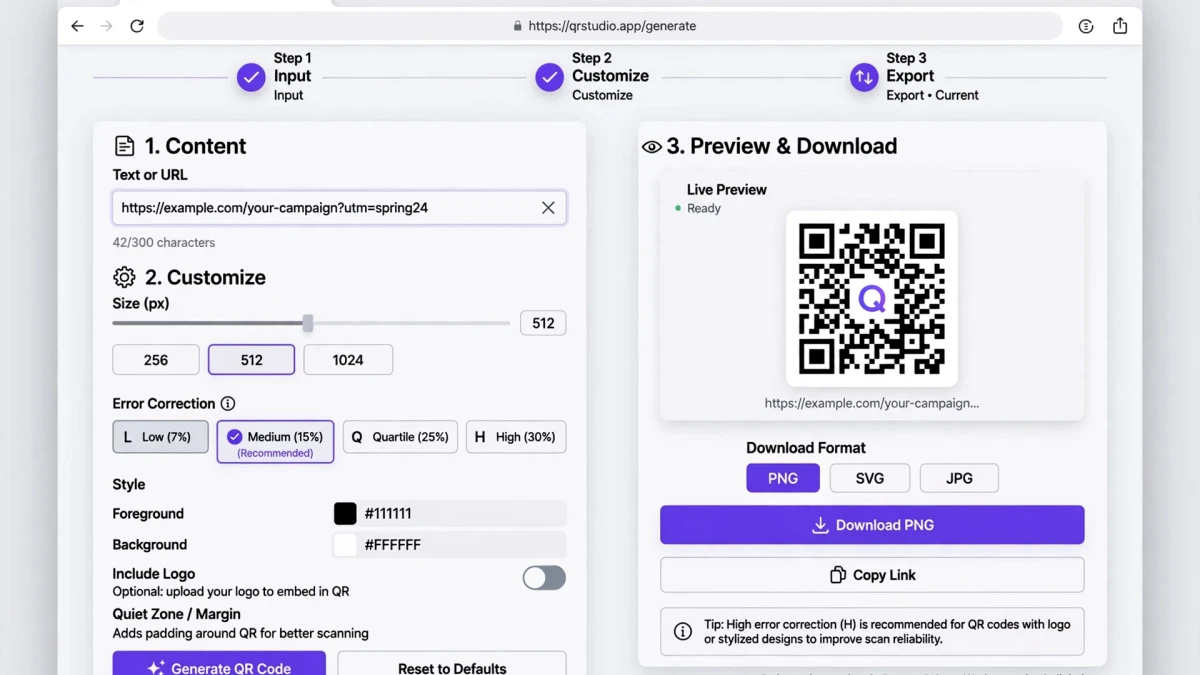
- Open the ToolDolfen QR Code Generator.
- Enter the data to encode: URL, contact card, Wi-Fi credentials, plain text.
- Select error correction level (H recommended for branded codes with logos).
- Download as PNG for digital use or SVG for print (SVG scales to any size without pixelation).

Recommended Companion Guides
Explore complementary tutorials and utilities from this topic cluster to enhance your digital workflow: