
JSON Flattening: The Core Problem
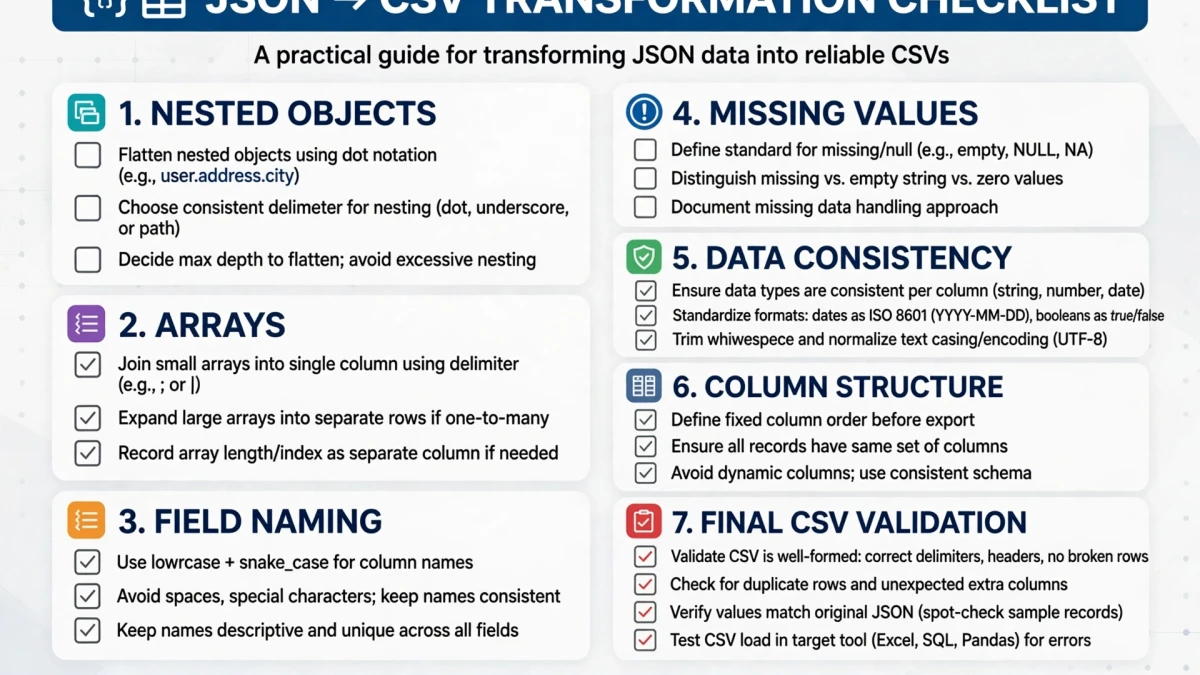

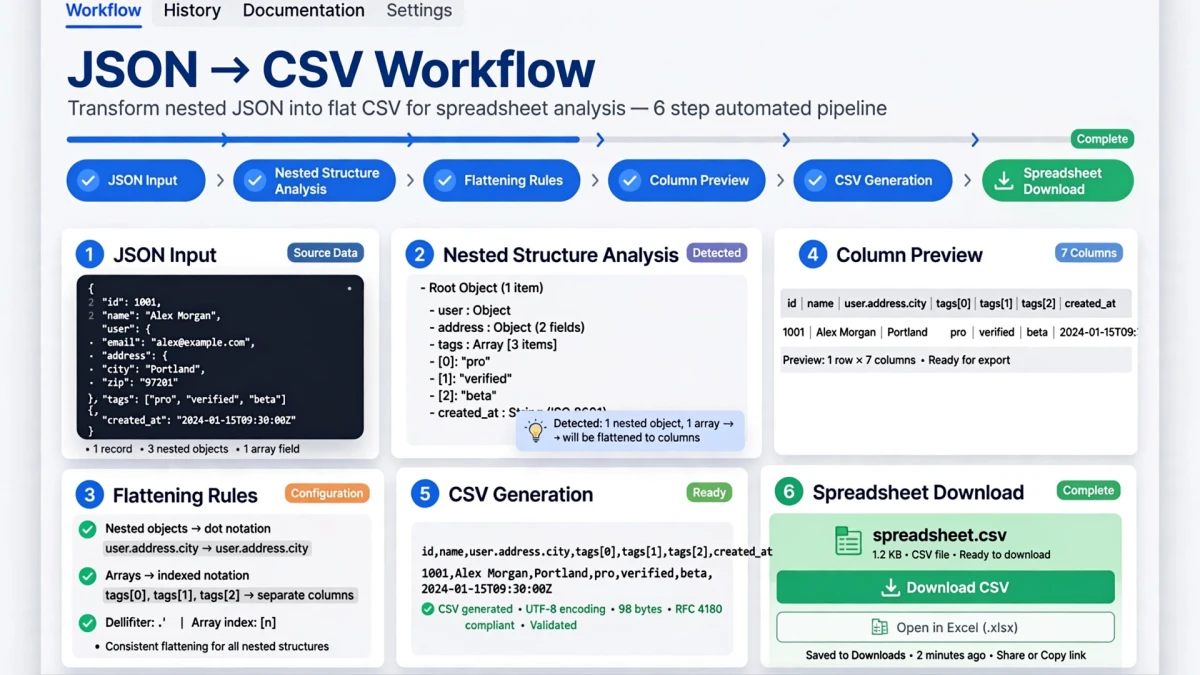
CSV is inherently flat — it has rows and columns. JSON can be arbitrarily nested — objects within objects within arrays. Converting JSON to CSV requires resolving this structural mismatch.
Simple JSON (easy to convert):
[
  {"id": 1, "name": "Alex", "age": 30},
  {"id": 2, "name": "Maria", "age": 25}
]
Result: 3 columns (id, name, age), 2 data rows.
Nested JSON (requires flattening):
[
  {"id": 1, "user": {"name": "Alex", "address": {"city": "Boston", "zip": "02101"}}}
]
Flattened result: 4 columns (id, user.name, user.address.city, user.address.zip), 1 data row.
Handling JSON Arrays in CSV Conversion
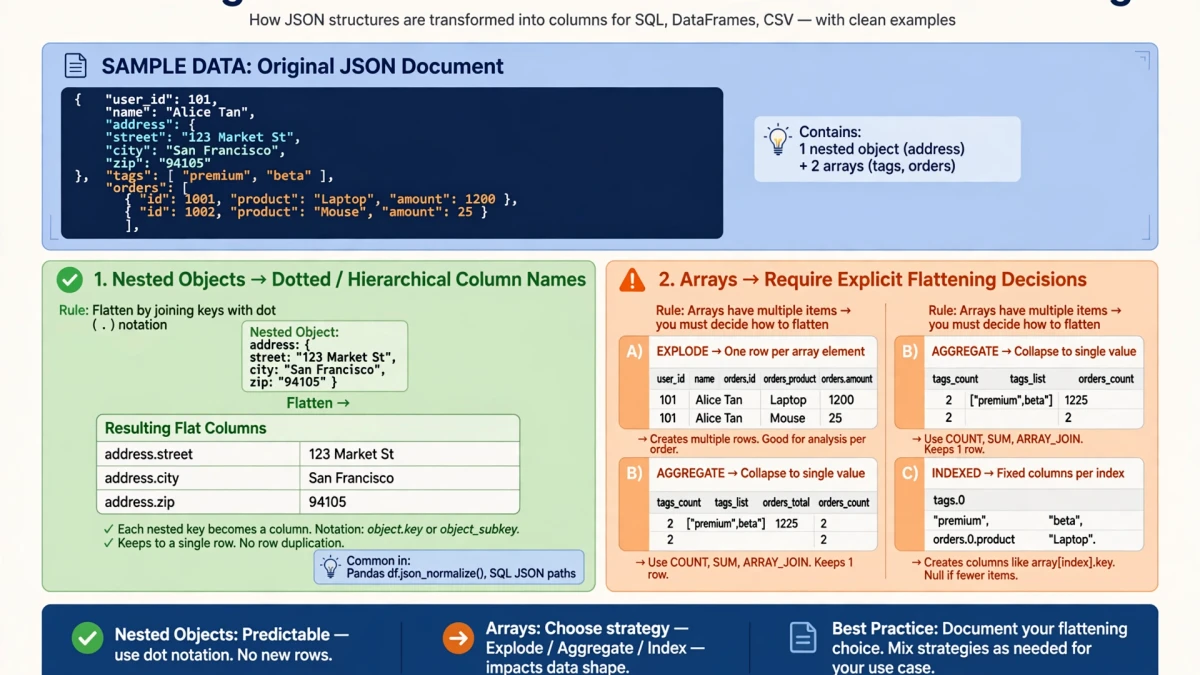
Option 1: Row expansion Each array element becomes a separate row, with parent object fields duplicated:
{"order_id": 1, "items": [{"sku": "A"}, {"sku": "B"}]}Becomes 2 CSV rows:
order_id,items.sku
1,A
1,B
Option 2: JSON string serialization The array is stored as a JSON string in a single CSV cell:
order_id,items
1,"[{""sku"":""A""},{""sku"":""B""}]"
Row expansion is usually better for analysis in Excel. Serialization is better when the array will be reparsed by code.
Step-by-Step: JSON to CSV on ToolDolfen
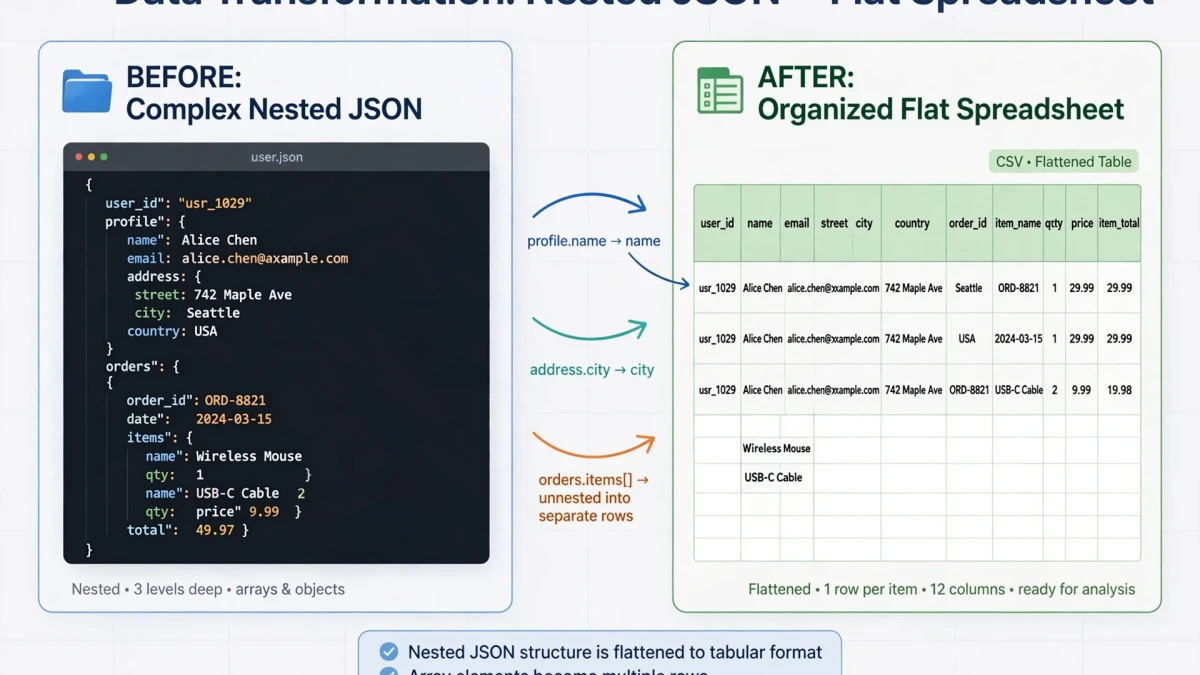
- Open the ToolDolfen JSON to CSV converter.
- Paste your JSON data (array of objects preferred for CSV conversion).
- Configure:
- Array handling: expand to multiple rows or serialize to string - Delimiter: comma (default) or semicolon for European Excel formats
- Click Convert.
- Download your CSV file for Excel, Google Sheets, or data pipeline use.
Recommended Companion Guides
Explore complementary tutorials and utilities from this topic cluster to enhance your digital workflow: